 By carl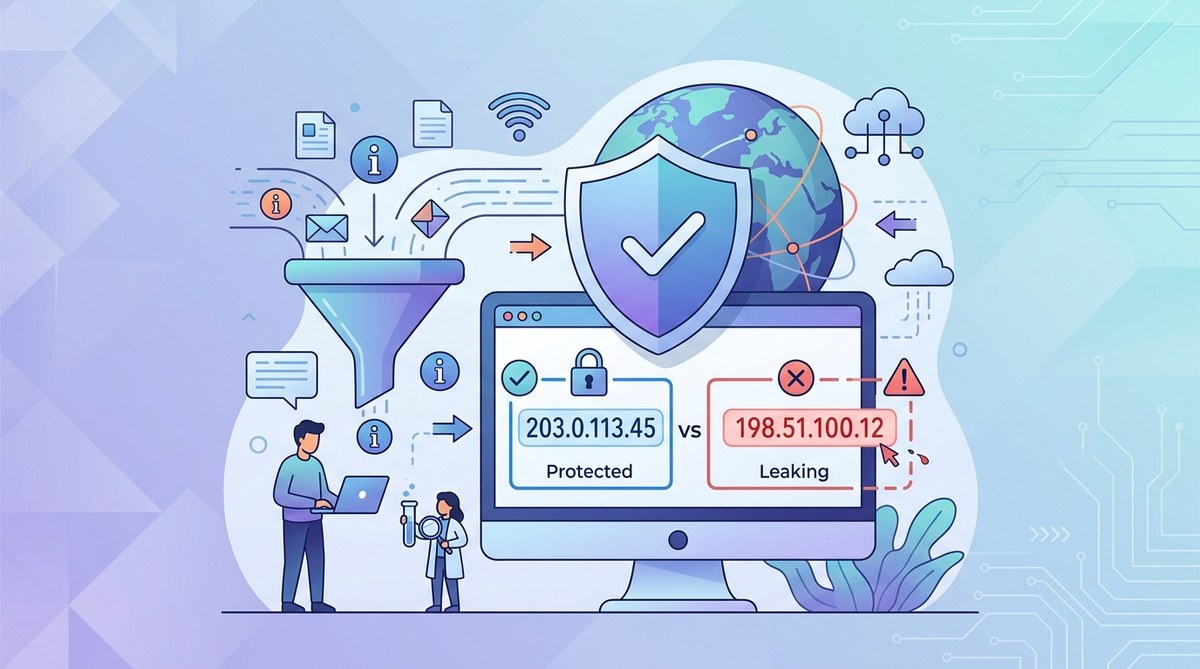
You just set up a fresh proxy, and everything seems to work. Your traffic flows through it, your IP looks different, and you feel safe. But what if the proxy is only hiding part of your activity? What if your real IP slips out every time your browser makes a WebRTC call or your computer sends a DNS request? This happens more often than you think. Even a well configured proxy can leak your real IP address if you overlook a few critical settings. That is why running a proxy IP leak test should be the first thing you do after connecting, and something you repeat regularly.
A proxy is only as private as its weakest link. DNS leaks, WebRTC leaks, and IPv6 leaks can expose your real address even while your proxy appears to work. Testing for these flaws takes just a few minutes using free online tools. Fixing them usually requires turning off IPv6, disabling WebRTC in your browser, or switching to a more secure proxy type. Make a leak test part of your routine.
What Is a Proxy IP Leak and Why Should You Care?
A proxy IP leak happens when your device accidentally reveals your real IP address to a website, even though you are routing traffic through a proxy server. The proxy itself may be working perfectly, but other parts of your system bypass it. This defeats the entire purpose of using a proxy: anonymity.
There are three main types of leaks that matter for most people:
- IP leaks: Your actual public IP appears in a web request instead of the proxy IP.
- DNS leaks: Your computer sends domain name lookups to your ISP’s DNS servers, not through the proxy.
- WebRTC leaks: Your browser uses WebRTC (a built-in feature for voice and video) and inadvertently exposes your local IP, which can be tied back to your real location.
Each leak type has a different cause, but the result is the same: your privacy is compromised. If you are a privacy conscious individual, a journalist, or someone using a proxy to avoid tracking, a silent leak can undo all your effort.
How to Perform a Proxy IP Leak Test in 3 Steps
You do not need expensive tools or advanced networking skills. Follow these three steps to run a thorough leak test. Each step is a separate check that covers a different kind of exposure.
-
Capture your real IP before connecting to the proxy.
Go to a site like ipleak.net or ipify.org and note your current public IP. Also check your IPv6 address if your ISP provides one. This gives you a baseline. -
Connect your proxy and repeat the IP check.
Once your proxy is active, visit the same site again. The IP should change to the proxy’s IP. If you still see your original IP, you have a direct IP leak. This is the most obvious kind. If the IP changed, move to the DNS and WebRTC tests. -
Run specialized leak tests.
Use a service like ipleak.net or dnsleaktest.com. These tools perform multiple checks at once:- DNS leak test: It will show which DNS servers your system is using. If you see your ISP’s DNS servers instead of the proxy’s DNS, your DNS queries are leaking.
- WebRTC leak test: The tool will attempt to detect your local IP through your browser. If it finds an IP that does not match your proxy’s IP, WebRTC is leaking.
- IPv6 leak test: If your proxy only supports IPv4 but your system has an active IPv6 connection, your traffic may skip the proxy entirely.
Repeat these tests from different browsers and after any network change. A clean result in one session does not guarantee future safety.
Common Leak Types and How They Happen
Not all leaks are created equal. Some are more dangerous than others, and each requires a different fix. The table below breaks down the three most common leak types, what they expose, and why they occur.
| Leak Type | What It Exposes | Common Cause |
|---|---|---|
| IP leak | Your real public IP address | Proxy stops working, failover to direct connection, or misconfigured proxy settings in your operating system. |
| DNS leak | The DNS servers your computer uses (often your ISP’s) | Your system is not configured to route DNS queries through the proxy. The proxy itself may be transparent and not handle DNS. |
| WebRTC leak | Your local IP address behind your router (e.g., 192.168.x.x) | Web browsers have WebRTC enabled by default. The feature sends your local IP during peer to peer connections, even through a proxy. |
Expert tip: A kill switch is your best insurance against IP leaks. If your proxy disconnects, a kill switch blocks all traffic until the proxy reconnects. Without it, a momentary proxy failure can expose your real IP. Many third party proxy clients include a kill switch, but not all browsers do. For a deeper look, read our guide on how to set up a kill switch and why it matters for VPN users. Even though it’s written for VPNs, the same principle applies to proxies.
How to Fix Common Proxy Leaks
Once you discover a leak, fixing it is usually straightforward. The specific solution depends on the type of leak and your operating system.
- For DNS leaks: Change your DNS settings to use a trusted provider like Cloudflare (1.1.1.1) or Quad9 (9.9.9.9) directly on your device. Or configure your proxy client to force DNS through the proxy. If you are using a SOCKS5 proxy, make sure the client you use (like Proxifier or redsocks) handles DNS correctly. We explain the details in our article on understanding DNS leaks and how to prevent them while using VPNs, and the same steps apply to proxies.
- For WebRTC leaks: Disable WebRTC in your browser settings. In Firefox you can search for “media.peerconnection.enabled” and set it to false. Chrome requires a browser extension or about:flags changes. Alternatively, use a browser like Brave that blocks WebRTC by default.
- For IPv6 leaks: Turn off IPv6 entirely on your device if your proxy does not support it. On Windows, disable IPv6 in your network adapter settings. On macOS, disable it in System Settings > Network. This is the most reliable fix because many proxies simply do not route IPv6 traffic.
If you are unsure whether your proxy type is the root cause, read our breakdown of residential vs datacenter proxies: which one should you actually use? Datacenter proxies often handle WebRTC and DNS differently than residential ones.
Why a Single Leak Test Is Not Enough
Your configuration might pass today and fail tomorrow. Software updates, browser changes, and network reconfigurations can introduce leaks without you noticing. That is why you should make the proxy IP leak test a habit, not a one time event.
Set a reminder to run a leak check every few weeks, and definitely after any major system update. Also test each new proxy server before you start using it for sensitive tasks. When you change your operating system or switch to a new browser, test again.
If you often switch between different proxy types, you might want to understand the trade offs better. Our guide on HTTP vs HTTPS vs SOCKS proxies: the differences that actually matter can help you choose the right protocol for your needs, which can reduce the chance of leaks.
Staying Ahead of Leaks in 2026
The web is evolving. Browsers continue to patch WebRTC vulnerabilities, but new API features can introduce fresh leak vectors. In 2026, tools like DNS over HTTPS and HTTP/3 are becoming more common, and they can sometimes bypass a proxy if not configured correctly.
A few habits will keep you ahead:
- Always use a proxy client that supports DNS forwarding and a kill switch.
- Disable unused network protocols like IPv6 on your device.
- Keep your browser up to date and review privacy settings periodically.
- Combine a proxy with a VPN for an extra layer of protection. This is not always needed, but for high risk activities it can prevent leaks that a single proxy might miss.
For more on this, check out our article on why your VPN might still expose your location through IPv6 leaks. The same principles apply to proxies.
Your Privacy Is Worth Five Minutes a Month
Running a proxy IP leak test takes less time than brewing a cup of coffee. The peace of mind it gives you is huge. Make it a monthly ritual. Write it on your calendar. Set a recurring reminder on your phone. The internet is full of trackers and data brokers, and a leaking proxy gives them exactly what they want: your real location.
Test now. Fix anything that leaks. Then enjoy the web knowing your proxy is doing its job. Your privacy depends on it.