 By carl
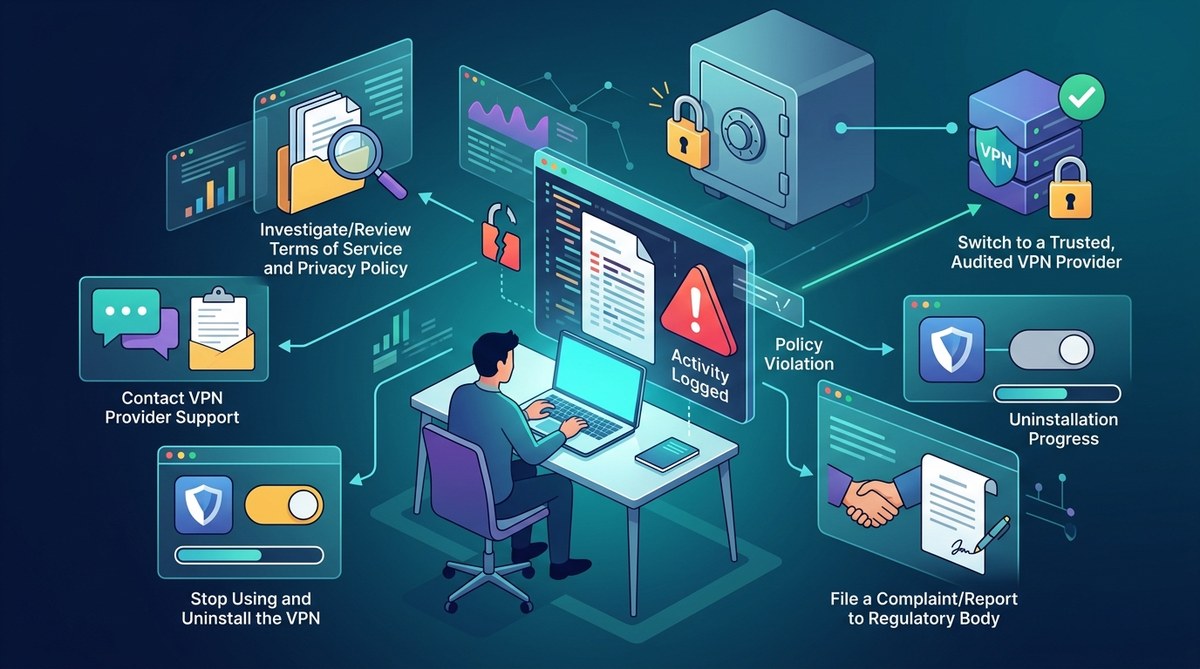
You signed up for a VPN that promised the moon. A strict no-logs policy. Total privacy. Zero tracking. But lately, something feels off. Maybe your connection feels slower than it should, or you noticed a suspicious cookie from your provider’s domain. Perhaps you read a Reddit thread where other users reported the same thing. That sinking feeling is real. When a VPN logs your activity despite promising not to, it is not just a broken promise. It is a serious privacy risk. Let’s talk about what you can do about it right now.
If you suspect your VPN is logging your activity despite a no-logs policy, act fast. First, gather evidence by running leak tests and checking DNS requests. Second, switch to a provider with a proven track record, transparent audits, and a clear privacy policy. Finally, secure your connection with a kill switch and consider using a proxy for extra protection. Your privacy depends on taking these steps now.
How to Spot a VPN No Logs Policy Violation
Before you panic, you need to confirm your suspicion. A VPN no logs policy violation is not always obvious. Some providers log metadata only, like connection timestamps and bandwidth usage, while claiming they do not log “activity.” Others log everything and simply lie about it. Here is how to check.
Run a DNS Leak Test
Your DNS requests are a goldmine of information. If your VPN is logging your activity, DNS queries often reveal the truth. Disconnect from your VPN first. Note your real IP address. Then reconnect to your VPN and visit a site like ipleak.net or dnsleaktest.com. If you see your ISP’s DNS servers instead of the VPN’s, that is a red flag. It means your DNS traffic is leaking outside the encrypted tunnel, and your provider could be logging those requests. For a deeper look, read our guide on how to test your VPN for DNS, IP, and WebRTC leaks in 5 minutes.
Check for IPv6 Leaks
Many VPNs protect your IPv4 traffic but forget about IPv6. If your device has an IPv6 address and your VPN does not route it properly, your real location is exposed. Visit a site like test-ipv6.com while connected to your VPN. If you see your home IP address, your provider is not handling IPv6 traffic. That is a clear sign of a potential logging loophole. Learn more about why your VPN might still expose your location through IPv6 leaks.
Look for WebRTC Leaks
WebRTC is a protocol used by many websites and apps for real-time communication. It can bypass your VPN and reveal your real IP address. This is a common way for VPN providers to accidentally log your activity. Use a browser extension to block WebRTC, or test your connection with a WebRTC leak checker. If your real IP shows up, your VPN is not doing its job. Check out our instructions on how to detect and block WebRTC leaks in any browser.
Review Your VPN’s Privacy Policy Again
Read the fine print. Some providers bury logging details in dense legal language. Look for phrases like “we may collect anonymized data for service improvement” or “we log connection metadata for troubleshooting.” These are often loopholes that allow logging. Compare what the policy says with what the marketing claims. If they do not match, that is a violation of trust. Our article on understanding VPN logging policies: what your provider really knows can help you spot the tricks.
What to Do When You Find Evidence of Logging
So you have proof. Maybe your IP leaked during a test, or you found DNS queries going to your provider’s servers. Now what? Follow these steps.
Step 1: Document Everything
Take screenshots of your leak test results. Save copies of your VPN’s privacy policy and terms of service. Note the date and time of each test. If you ever need to escalate a complaint or request a refund, this evidence is your best friend.
Step 2: Disconnect and Change Your Password
Immediately disconnect from the VPN. Change your account password to something strong and unique. If you used the same password elsewhere, change those too. A VPN no logs policy violation means your data might be at risk, so lock down your accounts.
Step 3: Request a Refund
Most reputable VPN providers offer a 30-day money-back guarantee. If you have caught them logging, you have every right to demand a refund. Be polite but firm. Reference the specific evidence you found. If they refuse, dispute the charge with your credit card company.
Step 4: Switch to a Trustworthy Provider
Do not just pick another random VPN from a Google search. Do your homework. Look for providers that have undergone independent security audits. Check if they are based in a privacy-friendly jurisdiction (outside the 14 Eyes alliance). Read reviews from privacy-focused communities. Our guide on how to choose the right VPN protocol for your needs can help you find a protocol that prioritizes privacy.
Step 5: Enable a Kill Switch
A kill switch automatically blocks all internet traffic if your VPN connection drops. This prevents any data from leaking while your VPN is disconnected. Most good VPNs include this feature. Turn it on in your settings. If you need help, see our tutorial on how to set up a kill switch and why it matters for VPN users.
Common Mistakes That Look Like Logging
Sometimes what feels like a VPN no logs policy violation is actually a technical glitch or user error. Here is a table to help you tell the difference.
| What You See | Possible Cause | Is It Logging? |
|---|---|---|
| Your IP address leaks during a test | IPv6 or WebRTC not blocked | Probably not logging, but still a flaw |
| DNS queries go to your ISP | VPN DNS settings misconfigured | Could be a config error, not logging |
| Your VPN provider asks for personal info during signup | Standard account creation | Not logging, but reduces anonymity |
| You get targeted ads after using the VPN | Browser fingerprinting or cookies | Likely not the VPN, but check |
| Your connection speed drops significantly | Server overload or distance | Not logging, but annoying |
| The VPN app shows your browsing history | Session logging by the app itself | This is a red flag for logging |
If you see any of these issues, run a proper leak test before assuming the worst. But if you find concrete evidence of data collection, do not ignore it.
Red Flags That Your VPN Provider Is Logging Your Activity
You do not always need a technical test to know something is wrong. Sometimes the signs are right in front of you. Here are common red flags.
- The privacy policy is vague or uses weasel words like “we may collect data for analytics.”
- The provider has never undergone a third-party audit.
- They are based in a country with mandatory data retention laws.
- They have a history of legal requests or data breaches.
- Their app asks for unnecessary permissions on your device.
- You notice your browsing activity appearing in targeted ads or recommendations.
- Customer support gives evasive answers when you ask about logging.
If you see three or more of these signs, it is time to leave. For a full list, read our article on 12 red flags that your VPN provider might be logging your activity.
The Legal Side of VPN Logging
You might be wondering if a VPN no logs policy violation is illegal. The answer depends on where the provider is based and where you live. In the United States, there is no federal law that specifically prohibits VPNs from logging your data. However, if a provider claims a no-logs policy in their marketing but logs anyway, that could be considered false advertising or fraud. The Federal Trade Commission (FTC) has taken action against companies for deceptive privacy practices.
If you are in a country with strong privacy laws, like those in the European Union, the provider may be violating the General Data Protection Regulation (GDPR) if they collect data without your informed consent. But pursuing legal action is expensive and time-consuming. For most people, the best approach is to vote with your wallet and switch to a provider that respects your privacy.
How to Protect Yourself Going Forward
A single VPN no logs policy violation should be a wake-up call. Do not put all your trust in one tool. Layer your defenses.
Use a Proxy for Specific Tasks
For sensitive activities like anonymous account registration or accessing region-locked content, consider using a proxy alongside your VPN. A SOCKS5 proxy, for example, routes your traffic through an additional server, making it harder for anyone to log your activity. Learn how to set one up with our guide on how to set up a SOCKS5 proxy in 5 minutes (step-by-step guide).
Practice Good Browsing Hygiene
Even the best VPN cannot protect you from your own habits. Clear your cookies regularly. Use a privacy-focused browser like Firefox or Brave. Disable JavaScript and third-party trackers. Our complete guide to private browsing hygiene covers everything you need to know.
Create a Personal Threat Model
Think about who you are protecting your data from. Is it your ISP, your government, or advertisers? Your threat model determines which tools you need. If you are just hiding from your ISP, a standard VPN with a good no-logs policy is enough. If you are up against a sophisticated adversary, you might need Tor or a multi-hop setup. Read our guide on how to create a personal threat model for online privacy.
“A no-logs policy is only as good as the company’s willingness to stand behind it. If they have never been audited, assume they are logging.” – Privacy expert and former VPN auditor
What to Look for in a New VPN Provider
When you are ready to switch, do not rush. Use this checklist to evaluate your next provider.
- Independent audit: Has a third party verified their no-logs claim?
- Jurisdiction: Are they based in a country with strong privacy laws?
- Transparency: Do they publish regular transparency reports?
- Encryption: Do they use modern protocols like WireGuard?
- Kill switch: Is it built into the app?
- Payment options: Can you pay with cryptocurrency or gift cards?
- Customer support: Are they responsive and knowledgeable?
If a provider checks all these boxes, you are in good hands. For a deeper comparison, see our article on free proxy vs paid proxy: which one actually protects you? The same principles apply to VPNs.
Rebuilding Your Privacy After a Breach of Trust
Finding out your VPN has been logging your activity feels like a betrayal. You trusted them with your data, and they broke that trust. But do not let it discourage you from protecting your privacy. Use this experience to become a more informed user.
Start by clearing your digital footprint. Change your passwords, revoke app permissions, and run a full malware scan. Then, take the time to set up your new privacy tools correctly. Our complete VPN and proxy security checklist before you connect will guide you through every step.
When a VPN Is Not Enough
Sometimes a VPN no logs policy violation happens because the provider is simply not equipped to handle your threat level. If you are a journalist, activist, or whistleblower, a standard VPN may not be enough. Consider using Tor for maximum anonymity, or combine a VPN with a proxy for double encryption. Our comparison of should you use Tor, a VPN, or both for maximum privacy? can help you decide.
Also, remember that your ISP can still see that you are using a VPN, even if they cannot see what you do inside the tunnel. For extra stealth, look into obfuscation techniques or a dedicated proxy server. Learn more about what your ISP can see when you browse and how to limit it.
Taking Control of Your Online Privacy
A VPN no logs policy violation does not have to be the end of your privacy journey. It is a learning opportunity. You now know what to look for, how to test your tools, and when to walk away. The next time you choose a provider, you will be armed with the knowledge to spot a fake no-logs claim from a mile away.
Trust your instincts. If something feels wrong, test it. If the test confirms your suspicion, leave. There are plenty of providers out there that take privacy seriously. You deserve one that keeps its promises.
Take a few minutes today to run a leak test on your current VPN. If everything looks clean, great. If not, you now have a clear path forward. Your privacy is worth the effort.