 By carl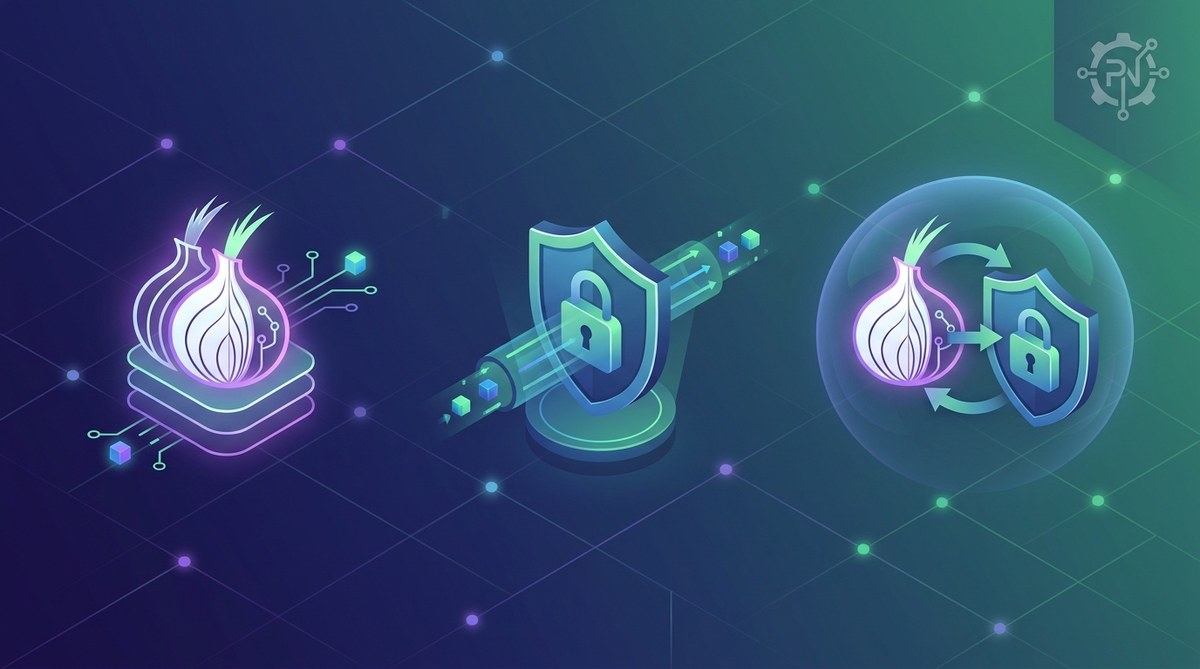
You’re trying to protect your online privacy, but you’re stuck between two popular options. Tor promises anonymity through layers of encryption. VPNs claim to secure your entire internet connection. Both have passionate advocates, and both get misunderstood constantly.
The tor vs vpn debate isn’t about finding a winner. It’s about matching the right tool to your actual needs. One might encrypt your traffic but slow your connection to a crawl. The other could give you speed but leave gaps in your anonymity. Understanding these trade-offs matters more than picking the “best” option.
Tor routes your traffic through multiple volunteer nodes for strong anonymity but runs slowly and blocks many websites. VPNs encrypt your connection through a single server, offering better speed and accessibility while requiring trust in your provider. Choose Tor for maximum anonymity when speed doesn’t matter. Pick a VPN for everyday privacy with usable performance. Your threat model determines which tool fits better.
How Tor Actually Works
Tor stands for The Onion Router, and that name tells you everything about its approach.
Your internet traffic gets wrapped in multiple layers of encryption. Then it bounces through at least three random volunteer computers called nodes before reaching its destination. Each node only knows the previous hop and the next one. Nobody in the chain sees the full picture.
The first node, called the entry guard, knows your real IP address but not what you’re accessing. The middle relay knows neither your IP nor your destination. The exit node sees what site you’re visiting but not who you are.
This design creates strong anonymity by distributing trust. No single point knows both who you are and what you’re doing.
But there’s a cost. All that routing takes time. Pages load slowly. Video streaming becomes frustrating. Some websites block Tor exit nodes entirely because they’re often associated with abuse.
Tor works best for:
- Accessing websites anonymously when speed doesn’t matter
- Protecting your identity from sophisticated surveillance
- Reaching content in countries with heavy censorship
- Whistleblowing or sensitive communications
How VPNs Handle Your Traffic
A VPN creates an encrypted tunnel between your device and a server operated by your VPN provider.
All your internet traffic flows through this tunnel. Websites see the VPN server’s IP address instead of yours. Your internet service provider sees encrypted data flowing to the VPN server but can’t read the contents.
The process is straightforward:
- Your device encrypts your data using the VPN protocol
- The encrypted data travels to the VPN server
- The server decrypts it and forwards your request to the destination website
- The response travels back through the same encrypted tunnel
This simplicity creates speed. You’re only adding one extra hop, not three or more. Modern VPN protocols like WireGuard can run almost as fast as your raw internet connection.
But here’s the critical part: your VPN provider can see everything. They know your real IP address and every website you visit. You’re shifting trust from your ISP to your VPN company.
That’s why understanding VPN logging policies matters so much. A provider that logs your activity defeats the privacy purpose.
Speed Differences That Actually Matter
Tor is slow. There’s no way around it.
Your traffic bounces through three random volunteers whose computers might be anywhere in the world. One might be a fast server in Germany. The next could be someone’s home computer in Brazil with a terrible connection. You get whatever random path the network assigns.
Typical Tor speeds range from 1 to 5 Mbps. That’s fine for browsing text-heavy websites or checking email. It’s painful for anything else.
VPNs are much faster. A good provider with nearby servers can deliver 100+ Mbps. You’ll notice a small slowdown compared to your raw connection, but it’s usually manageable.
The performance gap affects what you can actually do:
| Activity | Tor Performance | VPN Performance |
|---|---|---|
| Text browsing | Works fine | Works perfectly |
| HD video streaming | Barely functional | Smooth playback |
| Video calls | Not practical | Usually works well |
| Large downloads | Extremely slow | Reasonable speed |
| Gaming | Too much latency | Playable with good servers |
If you need speed for normal internet use, VPNs win easily. If you need maximum anonymity and can tolerate slow connections, Tor makes sense.
Privacy and Anonymity Are Different Things
People confuse these terms constantly, but they mean different things.
Privacy means others can’t see what you’re doing. Anonymity means others can’t identify who you are. You can have one without the other.
Tor prioritizes anonymity. The network design makes it extremely hard to link your activity back to your real identity. Even if someone monitors the exit node and sees what websites you’re visiting, they can’t easily trace that back to you.
VPNs prioritize privacy. They hide your activity from your ISP and local network. But your VPN provider knows exactly who you are. You gave them payment information and probably an email address. They can absolutely identify you if they want to or if authorities compel them.
Think of it this way: Tor is like wearing a mask in a crowd. VPN is like asking a trusted friend to do something for you while you stay home.
For most people, privacy is enough. You don’t need anonymity to watch streaming content from another country or hide your browsing from your ISP. You just need to understand what happens to your data when you connect.
But if you’re facing serious threats, like government surveillance or targeted harassment, anonymity becomes critical. That’s when Tor’s design really matters.
What Your ISP Sees With Each Tool
Your internet service provider sits between you and the rest of the internet. They can see a lot, but what they see depends on which tool you’re using.
With no protection:
Your ISP sees everything. Every website you visit, every search you make, every video you watch. They know your DNS queries, which reveal your browsing even when you use HTTPS.
With a VPN:
Your ISP sees encrypted traffic flowing to your VPN server’s IP address. They know you’re using a VPN. They can see how much data you’re transferring and when. They cannot see which websites you’re visiting or what you’re doing.
Some ISPs throttle VPN traffic or block it entirely. Others don’t care. If you’re curious about the details, check out what your ISP actually knows when you use a proxy.
With Tor:
Your ISP sees encrypted traffic to a known Tor entry node. They know you’re using Tor. That’s it. They can’t see your activity or destination.
In some countries, using Tor itself raises red flags. The fact that you’re hiding something might attract more attention than whatever you’re actually doing.
Trust Models and Weak Points
Every privacy tool has vulnerabilities. Understanding them helps you make better choices.
Tor’s weak points:
The exit node can see your unencrypted traffic. If you’re visiting an HTTP site (not HTTPS), the exit node operator can read everything, including passwords. Malicious exit nodes have been caught doing exactly this.
Exit nodes can also inject malware or modify content. Always use HTTPS when possible, even over Tor.
Timing attacks can potentially link your activity to your identity if someone monitors both your internet connection and the destination server. This requires significant resources and technical skill, but it’s possible.
VPN weak points:
Your provider is a single point of failure. If they log your activity, get hacked, or receive a legal order, your privacy vanishes.
Many common VPN mistakes can leak your real IP address. DNS leaks, WebRTC leaks, and connection drops all expose you if you’re not careful.
Free VPN services often make money by logging and selling your data. They’re worse than using nothing at all.
The best privacy tool is the one you’ll actually use correctly. A VPN with proper leak protection beats Tor if you keep making mistakes with Tor Browser settings.
Practical Setup Steps for Each
Getting started with either tool requires different approaches.
Setting up Tor:
- Download Tor Browser from the official torproject.org website only
- Install it like any other application on your computer
- Launch Tor Browser and wait for it to connect to the network
- Browse using only Tor Browser, not your regular browser
- Keep the security level at “Safer” or “Safest” for better protection
Don’t log into personal accounts over Tor. Don’t download torrents through Tor. Don’t install browser plugins. These actions can break your anonymity.
Setting up a VPN:
- Choose a provider with a clear no-logging policy and good reputation
- Sign up and install their application on your device
- Connect to a server in your preferred location
- Verify your connection isn’t leaking using a test site
- Enable the kill switch feature to prevent accidental exposure
Setting up a kill switch prevents your real IP from leaking if the VPN drops. This feature is critical for maintaining privacy.
You should also test your VPN for leaks regularly. DNS leaks are surprisingly common even with paid services.
When Websites Block Your Connection
Both Tor and VPNs face blocking issues, but for different reasons.
Many websites block Tor exit nodes. Banking sites, streaming services, and online retailers often refuse connections from Tor. They associate these IP addresses with fraud and abuse.
You’ll see error messages like “Access Denied” or endless CAPTCHA challenges. Some sites simply won’t load at all.
VPNs face similar but less severe blocking. Netflix and other streaming services actively block known VPN servers. Some websites restrict access from certain countries, which means your VPN location matters.
The difference: VPN providers constantly add new servers and IP addresses. When one gets blocked, they spin up more. Tor relies on volunteer nodes that can’t change as easily.
If you need reliable access to mainstream websites, VPNs work better. If you’re trying to access censored content or need anonymity, Tor’s blocking problems become worth tolerating.
Cost Comparison and Free Options
Tor is completely free. The network runs on volunteers who donate bandwidth and server resources. You can download Tor Browser right now and start using it without paying anything.
VPNs typically require payment. Good services cost $3 to $12 per month depending on your subscription length. You’re paying for server infrastructure, bandwidth, and (hopefully) a company that won’t log your activity.
Free VPNs exist, but they come with serious risks. They need to make money somehow. Usually that means:
- Logging and selling your browsing data
- Injecting ads into the websites you visit
- Limiting your speed or bandwidth severely
- Providing terrible security with outdated encryption
The “free” price tag costs you in privacy, which defeats the entire point.
Proxies offer a middle ground. A SOCKS5 proxy can hide your IP for specific applications without the overhead of full VPN encryption. But proxies don’t encrypt your traffic, so they provide less privacy than either Tor or VPNs.
Using Both Tools Together
Some people run Tor over a VPN, creating a double layer of protection.
Your traffic flow looks like this: Your device → VPN server → Tor network → Destination website.
This approach hides your Tor usage from your ISP. They see only encrypted VPN traffic. The Tor entry node sees the VPN server’s IP instead of yours.
Benefits:
- Your ISP doesn’t know you’re using Tor
- The Tor entry node doesn’t see your real IP address
- You still get Tor’s anonymity benefits
Drawbacks:
- Even slower than Tor alone
- More complex setup that can go wrong
- Your VPN provider knows you’re using Tor
- Doesn’t protect against exit node attacks
Running a VPN over Tor is also possible but rarely useful. The VPN endpoint becomes visible to the Tor exit node, which creates more problems than it solves.
For most people, combining both tools creates unnecessary complexity. Pick one that fits your needs and use it correctly. That’s better than a complicated setup you don’t fully understand.
Choosing Based on Your Actual Needs
Your choice should match your real threat model, not theoretical maximum security.
Choose Tor if you:
- Need strong anonymity from sophisticated adversaries
- Face government surveillance or censorship
- Work with sensitive sources or information
- Can tolerate slow speeds and website blocking
- Don’t need to access mainstream services
Choose a VPN if you:
- Want privacy from your ISP and local network
- Need good speeds for streaming or downloads
- Access normal websites and services regularly
- Travel and use public WiFi frequently
- Want to bypass geographic restrictions
Choose neither if you:
- Only browse mainstream sites over HTTPS
- Don’t face specific threats or surveillance
- Trust your ISP and local network
- Want maximum speed and convenience
Many people overestimate their privacy needs. If you’re just trying to hide your Netflix habits from your roommate or avoid ISP tracking, a VPN is plenty. You don’t need Tor’s heavy anonymity for everyday privacy.
But if you’re a journalist in a hostile country or someone facing targeted harassment, Tor’s anonymity becomes genuinely necessary. Creating a personal threat model helps you think through what you actually need.
Common Mistakes That Break Your Protection
Both tools fail when you use them incorrectly.
Tor mistakes:
- Using your regular browser instead of Tor Browser
- Logging into personal accounts that reveal your identity
- Downloading torrents through the Tor network
- Installing browser extensions or plugins
- Maximizing the browser window (this affects fingerprinting)
VPN mistakes:
- Not enabling the kill switch feature
- Ignoring DNS and WebRTC leaks
- Using free VPN services that log everything
- Staying logged into personal accounts while connected
- Assuming the VPN makes you completely anonymous
The biggest mistake with either tool: thinking it solves all privacy problems automatically. Tor doesn’t protect you if you tell websites who you are. VPNs don’t help if your provider logs everything and hands data to authorities.
Browser fingerprinting can identify you even when your IP address is hidden. Your browser configuration, installed fonts, screen resolution, and dozens of other factors create a unique signature.
Tor Browser fights fingerprinting by making everyone look the same. Regular browsers over VPNs don’t provide this protection.
Performance Optimization Tips
You can improve speeds with both tools, though your options differ.
For Tor:
- Use the “New Circuit” option if your current route is slow
- Avoid peak usage times when the network gets congested
- Stick to text-heavy browsing instead of media streaming
- Consider using Tor only for activities that need anonymity
You can’t fundamentally fix Tor’s speed limitations. The design trades performance for anonymity. Accepting this trade-off is part of using the tool.
For VPNs:
- Connect to nearby servers for lower latency
- Try different VPN protocols (WireGuard is usually fastest)
- Use split tunneling to route only sensitive traffic through the VPN
- Avoid overloaded servers by testing different locations
Choosing the right VPN protocol makes a surprising difference. WireGuard can be twice as fast as older protocols like OpenVPN.
If your VPN is consistently slow, the problem might be your provider’s infrastructure. Cheap services often oversell their servers, leading to congestion. Sometimes paying for premium service is the only real solution.
Legal Considerations and Restrictions
Using privacy tools isn’t illegal in most countries, but some governments restrict or ban them.
Countries that restrict or ban VPNs:
China, Russia, Iran, UAE, Turkey, and several others either ban VPNs entirely or require government approval. Using an unapproved VPN in these countries can result in fines or worse.
Even in countries where VPNs are legal, using them to break other laws doesn’t protect you. Pirating content over a VPN is still illegal. So is hacking, harassment, or any other crime.
Countries that restrict Tor:
China blocks Tor connections. Russia has attempted to block it. Belarus, Iran, and several other authoritarian countries actively interfere with Tor access.
Tor provides bridge relays specifically to help users in censored countries connect to the network. These bridges aren’t listed publicly, making them harder to block.
In free countries, using either tool is perfectly legal. Your choice to use privacy tools doesn’t imply you’re doing anything wrong. Privacy is a right, not evidence of guilt.
Which Tool Fits Your Daily Routine
Think about your actual internet use, not hypothetical scenarios.
If you browse social media, check email, stream videos, and shop online, a VPN fits better. You need reasonable speed and access to normal websites. You’re protecting against casual surveillance, not targeted attacks.
If you’re researching sensitive topics, communicating with sources, or accessing information in a censored country, Tor makes sense. The speed penalty becomes acceptable when anonymity is critical.
Many people use both at different times. VPN for daily browsing and streaming. Tor when accessing something that requires anonymity.
There’s no shame in choosing convenience over maximum security for everyday tasks. Realistic security that you actually use beats perfect security that’s too annoying to maintain.
The tor vs vpn question isn’t about finding the objectively better tool. It’s about honest assessment of your needs and threats. Most people need privacy, not anonymity. A good VPN handles that job well.
Making Your Choice Stick
Pick one tool and learn to use it properly. That beats switching between tools you don’t fully understand.
If you choose a VPN, test it regularly to make sure it’s working correctly. Set up the kill switch. Check for leaks. Verify your provider’s logging policy hasn’t changed.
If you choose Tor, commit to using Tor Browser for sensitive activities. Don’t mix anonymous and personal browsing in the same session. Keep the software updated.
Your privacy depends more on consistent, correct use than on picking the theoretically superior tool. Start with whichever option matches your needs, use it properly, and adjust if your situation changes.