 By carl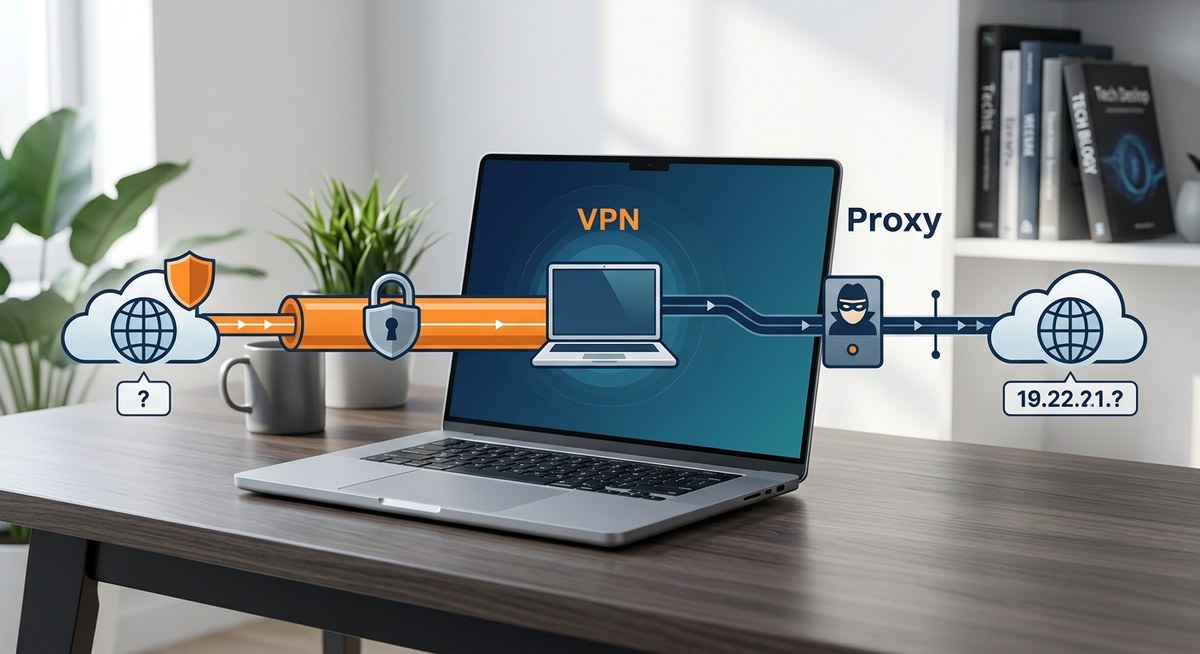
You open your torrent client, load a popular file, and within seconds you see dozens of IP addresses in the swarm. One of them is yours. That is the moment most people realize they need to hide their IP. The question is: should you use a VPN or a proxy? The answer matters more than you think. Each tool works differently, and picking the wrong one can leave you exposed, slow your downloads, or even get you caught in a copyright trap. Let us break down exactly what each does and which one actually keeps your IP hidden when you are torrenting.
A proxy can hide your IP from peers in the swarm, but it offers zero encryption, no kill switch, and leaks data if misconfigured. A VPN encrypts all traffic, protects your entire connection, and includes safety features like a kill switch. For real privacy while torrenting, a VPN is the safer, more reliable choice. Proxies are only useful for specific edge cases, and even then they require careful setup to avoid exposing your real IP.
What Actually Happens to Your IP in a Torrent Swarm
Torrenting is peer to peer. When you connect to a swarm, your client announces your IP address to a tracker and to every other peer. That IP is visible to anyone in the swarm who wants to look. Copyright trolls, your ISP, and even casual onlookers can see that a specific IP is downloading or sharing a particular file.
Your ISP also sees your torrent traffic because it is unencrypted. They can throttle your connection or send you nasty letters. If you live in the United States, ISPs often forward copyright complaints from movie studios and record labels. Hiding your IP stops peers from linking the file to you. But that alone does not stop your ISP from seeing that you are using BitTorrent unless you also encrypt the traffic.
This is where the difference between a proxy and a VPN becomes critical. A proxy only masks your IP to the outside world. A VPN masks your IP and encrypts everything traveling through the tunnel.
How a Proxy Handles Torrent Traffic
A proxy acts as a middleman. You configure your torrent client to route its traffic through a proxy server, typically SOCKS5. Peers in the swarm see the proxy’s IP, not yours. That sounds good on paper, but there are major limits.
- No encryption: The data going between you and the proxy is still readable. Your ISP can see you are using BitTorrent, even if they cannot see your final destination.
- Connection leaks: If the proxy fails or your client does not support it properly, your real IP can slip through. Many free proxies (and even some paid ones) do not block IPv6 or DNS leaks.
- No kill switch: If the proxy drops, your torrent client will keep sending and receiving directly from your home IP. You are exposed until you manually stop the client.
- Speed and reliability: SOCKS5 proxies are usually fast because they do not encrypt data, but they are often unreliable. Public proxy lists can go offline without warning.
You can mitigate some of these risks by following a good how to set up a socks5 proxy in 5 minutes step by step guide. That guide covers binding your client to the proxy and testing for leaks. But even with perfect setup, you still have no encryption, which matters if your ISP monitors traffic types.
How a VPN Protects Your Torrent Activity
A VPN creates an encrypted tunnel between your device and a remote server. All your internet traffic, including torrent data, goes through that tunnel. To anyone outside, your IP appears as the VPN server’s IP. Your ISP sees only an encrypted stream to the VPN server. They cannot see that you are torrenting at all.
- Full encryption: AES 256 bit or similar. Nobody, not even your ISP, can see what you are downloading.
- Kill switch: If the VPN connection drops, the kill switch blocks all internet traffic until the VPN restarts. Your real IP never leaks.
- DNS and IPv6 leak protection: Quality VPNs force all DNS queries through their own servers and block IPv6 to prevent leaks.
- Port forwarding: Some VPNs offer port forwarding to improve torrent speeds. Proxies rarely do.
A VPN also protects all applications on your computer, not just your torrent client. If you accidentally open a magnet link in a browser that is not configured, your IP stays hidden. This is one reason why many privacy conscious users prefer a VPN. You can learn more by reading about 5 common VPN mistakes that compromise your privacy to avoid the most common pitfalls.
Head-to-Head Comparison
| Feature | Proxy (SOCKS5) | VPN |
|---|---|---|
| Hides IP from peers | Yes | Yes |
| Encrypts torrent traffic | No | Yes |
| Kill switch | No | Yes (built-in) |
| Leak protection | Needs manual setup | Automatic |
| ISP can see you are torrenting | Yes (no encryption) | No (encrypted tunnel) |
| Speed impact | Low (no encryption) | Moderate (encryption overhead) |
| Setup difficulty | Moderate (client config) | Easy (client install) |
| Risk of exposure | High if misconfigured | Low if using a reputable provider |
Common Misconceptions About Torrenting with Proxies
Some people think a proxy is enough because “it changes your IP.” That is only half true. The proxy changes your IP for the swarm, but your ISP still sees your traffic in plain text. They can log your BitTorrent activity and send complaints. In many US jurisdictions, ISPs forward DMCA notices based on unencrypted traffic, not just IP visibility.
Another myth: “SOCKS5 proxies are faster than VPNs.” They can be, but only because they skip encryption. For most torrent users, the speed difference is tiny. Modern VPNs like WireGuard add only a few milliseconds of latency. And you gain full encryption, which is a huge win.
A third misconception: “Free proxies are fine for occasional torrenting.” Free proxies are often operated by people who log your data, inject ads, or even serve malware. You can read about why free proxies are dangerous and what to use instead to see how risky they really are.
A Step-by-Step Process to Stay Safe
If you decide to use a VPN (the recommended approach for torrenting), follow this numbered process:
- Choose a VPN that allows P2P traffic and has a strict no logs policy. Look for ones with a built in kill switch and leak protection.
- Install the VPN client on your computer or router. If you set it up on your router, every device on your network uses the VPN.
- Connect to a VPN server that is optimized for torrenting or supports port forwarding.
- Configure your torrent client. Bind it to the VPN network interface so it only uses the VPN. No leaks even if the VPN drops temporarily.
- Test for leaks using a tool like ipleak.net or check my IP after connecting. Make sure your real IP does not appear.
- Enable the kill switch in your VPN settings to block all traffic if the VPN disconnects.
- Start torrenting. Keep an eye on the connection status. If you see your real IP pop up, stop immediately and fix the leak.
For proxy users who still want to go that route, you need to bind your torrent client specifically to the proxy address and port. Use only paid, reputable SOCKS5 proxies, never free ones. Test for DNS and IPv6 leaks before every session. And understand that your ISP can still see your BitTorrent traffic.
When You Might Still Want a Proxy
There are a few niche cases where a proxy makes sense for torrenting:
- You are using a seedbox and only need to mask your IP for a single task while keeping speed high.
- You are on a network that blocks VPN connections (some public Wi Fi or corporate networks) but allows SOCKS5 traffic.
- You want to hide your IP from peers but do not care about ISP visibility, maybe because you are downloading only legal content in a jurisdiction without monitoring.
In all other cases, a VPN is the better tool. If you are still unsure about the trade offs, check out this breakdown of socks5 proxy vs vpn which one actually protects your privacy for more nuance.
The Real Risk of Using a Proxy Without Encryption
Imagine you are torrenting a Linux ISO (legal, no problem). Your proxy hides your IP from the swarm, but your ISP sees the traffic pattern. Many ISPs in the US now throttle P2P traffic regardless of content. You might get slower speeds even for legal downloads. Worse, if the proxy is logging your traffic, they know exactly what you are downloading. Some free proxy operators sell that data to advertisers or law enforcement.
Also consider your threat model. A proxy is fine if your only worry is a copyright troll looking at the swarm. It fails if your ISP is aggressive, if you need to hide your activity from your government, or if you want to prevent your ISP from selling your browsing history. A VPN covers all those bases.
“A proxy can give you a false sense of security because it changes your IP, but leaves your traffic naked for anyone on the network to see. For real privacy, you need encryption from your device to the exit point.”
Privacy researcher, 2026
Which Tool Wins for Torrenting in 2026
When you weigh the options, a VPN provides the complete package: IP hiding, encryption, leak protection, and a kill switch. A proxy offers a lighter solution but leaves major gaps. For most US based torrent users who want to keep their IP hidden and avoid ISP snooping, a VPN is the clear winner.
That said, do not just grab any VPN. Read the logging policy. Make sure the provider has been independently audited. Learn about understanding vpn logging policies what your provider really knows so you can make an informed choice. And remember to test your setup every time you connect. A single leak can undo all your protection.
Start with a VPN. Bind your torrent client to the VPN interface. Turn on the kill switch. Verify your IP is masked. Then torrent with confidence. Your real IP stays yours alone.