 By carl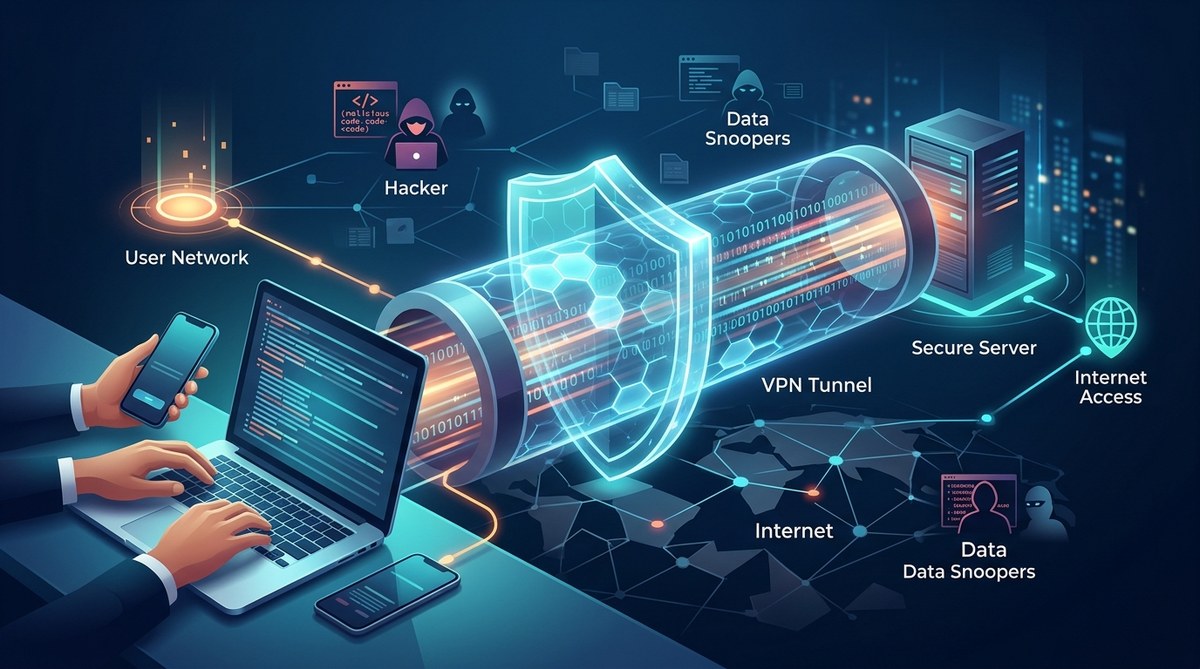
Picture this: you are sitting in a coffee shop in Austin, Texas, sipping an iced latte and answering emails on the public Wi-Fi. You have heard that using public networks is risky, but you need to get the work done. Someone nearby could be running a packet sniffer and watching every website you visit. That is where a VPN tunnel comes in. It creates a private, encrypted passage between your device and the internet, shielding your data from anyone who might be snooping. But what does that actually mean under the hood? Let us break it down without the jargon.
A VPN tunnel is an encrypted connection that wraps your internet traffic inside a secure “envelope” before it travels across the network. This process, called encapsulation, hides your data from your ISP, hackers, and anyone else monitoring the line. The tunnel ensures that even if someone intercepts your traffic, they see only scrambled, unreadable information. It is the core mechanism that makes VPNs effective for privacy and security.
What Is a VPN Tunnel? The Simple Analogy
Imagine you are mailing a postcard. Anyone who handles it can read your message. That is how your regular internet traffic works. Your ISP, the Wi-Fi owner, and any eavesdropper can see what sites you visit and what data you send.
Now imagine you put that postcard inside a locked, opaque steel briefcase. Only the person on the other end has the key. That briefcase is your VPN tunnel. The postcard is your data. The lock is encryption. And the briefcase itself is the tunnel wrapping everything together.
The VPN tunnel meaning boils down to this: it is a secure, encrypted pathway that carries your internet traffic from your device to a VPN server, protecting it from prying eyes along the way.
How Data Encapsulation Works Step by Step
Encapsulation sounds technical, but it is actually straightforward. Here is how it works in practice:
- Your device creates a data packet. When you visit a website, your browser generates a request. That request is broken into small chunks called packets. Each packet has a header with your IP address and the destination address.
- The VPN client intercepts the packet. Before the packet leaves your device, the VPN software grabs it. It wraps the entire original packet inside a new packet. This new packet has the VPN server’s address as the destination, not the website’s.
- Encryption scrambles the inner packet. The VPN client encrypts the original packet using a strong cipher (like AES-256). Now the original content and your real IP address are unreadable.
- The encrypted packet travels through the tunnel. The outer packet, which is still visible, shows only that you are communicating with the VPN server. Your ISP sees nothing else.
- The VPN server unwraps and forwards. The server receives the packet, decrypts the inner layer, and sends your original request to the website. The website sees the VPN server’s IP address, not yours.
This process repeats for every single packet you send and receive. It happens in milliseconds, so you barely notice the overhead.
Encryption vs Tunneling: Two Sides of the Same Coin
People often confuse encryption with tunneling. They are different but work together.
| Feature | Encryption | Tunneling |
|---|---|---|
| What it does | Scrambles data into unreadable code | Wraps data inside a new packet |
| Purpose | Prevents anyone from reading your data | Hides the true destination of your traffic |
| Analogy | A lock on your briefcase | The briefcase itself |
| Visibility | ISP sees encrypted gibberish | ISP sees a connection to the VPN server only |
| Weakness | Strong encryption can still reveal traffic patterns | Tunneling alone does not protect content |
A VPN uses both. Without encryption, the tunnel would carry readable data. Without the tunnel, encryption would still expose your IP address. Together, they give you real privacy.
What a VPN Tunnel Hides from Your ISP
Your internet service provider can see a surprising amount of your activity. Here is what a VPN tunnel blocks:
- Your real IP address. The ISP sees only the VPN server’s IP.
- The websites you visit. They see a single encrypted stream to the VPN server, not individual site requests.
- The content of your messages. Emails, chats, and form submissions are all scrambled.
- Files you download. The ISP cannot tell if you are downloading a PDF, a movie, or a software update.
- DNS queries. When you type a domain name, the DNS lookup happens inside the tunnel. Your ISP never sees it.
What the ISP can still see: the amount of data you transfer and the times you are active. They know you are using a VPN, but they do not know what you are doing inside it.
Common VPN Tunnel Protocols You Should Know
Not all tunnels are built the same. Different protocols offer different balances of speed, security, and compatibility.
- OpenVPN. The gold standard. Open source, highly configurable, and runs on almost every platform. It uses strong encryption and is trusted by security experts worldwide.
- WireGuard. The new kid on the block. Much faster than OpenVPN because it uses modern cryptography and a leaner codebase. It is quickly becoming the default choice for many VPN providers in 2026.
- IKEv2/IPsec. Excellent for mobile devices because it handles network changes gracefully. When you switch from Wi-Fi to cellular, IKEv2 keeps your tunnel intact without dropping the connection.
- L2TP/IPsec. Older and slower. It is still around but generally not recommended unless you have no other options.
Expert advice: If your VPN provider offers WireGuard, use it. It delivers strong security with noticeably better speeds than older protocols. For maximum privacy, OpenVPN with AES-256 encryption remains a reliable choice.
How a VPN Tunnel Protects Remote Workers
If you work remotely, a VPN tunnel is not just a nice to have. It is often a requirement. When you connect to your company’s network from a hotel in Chicago or a coworking space in Denver, the tunnel ensures that your work data does not travel unprotected across the public internet.
The tunnel acts as a secure bridge between your laptop and the corporate server. Even if the hotel Wi-Fi is compromised, your VPN tunnel keeps your access to internal tools, databases, and files safe. This is why many companies mandate VPN use for all remote employees.
For a deeper look at how your data flows through this process, check out what happens to your data when you connect to a VPN.
Common Misconceptions About VPN Tunnels
Let us clear up a few myths that still float around.
- A VPN tunnel makes you completely anonymous. Not quite. The VPN provider can still see your activity if they log it. Choose a provider with a strict no-logs policy. Also, cookies and browser fingerprinting can still identify you.
- All traffic goes through the tunnel. Not always. Some VPNs offer split tunneling, where only certain apps use the tunnel while others connect directly. This is useful for streaming local content while keeping work traffic secure.
- A tunnel is the same as a proxy. No. A proxy server forwards your traffic but does not encrypt it. A VPN tunnel encrypts everything. For a full comparison, see SOCKS5 proxy vs VPN: which one actually protects your privacy.
- The tunnel slows down your internet significantly. Modern protocols like WireGuard add minimal latency. The bigger slowdown often comes from the distance to the VPN server, not the encryption itself.
What Happens When the Tunnel Drops
A VPN tunnel is not invincible. If your connection flickers or the VPN server goes down, the tunnel can break. When that happens, your device might start sending data over the open internet without protection.
This is called a leak. It can expose your real IP address and unencrypted traffic. To prevent this, use a kill switch. A kill switch automatically blocks all internet traffic if the VPN tunnel drops. It is a safety net that keeps you protected even during brief disconnections.
Learn how to set one up in how to set up a kill switch and why it matters for VPN users.
How to Check If Your Tunnel Is Working
You do not have to take your VPN’s word for it. You can verify the tunnel yourself.
- Check your IP address. Before connecting, note your real IP. After connecting, visit an IP checking site. It should show the VPN server’s IP, not yours.
- Run a DNS leak test. Some VPNs fail to route DNS queries through the tunnel. Use a DNS leak test website to confirm your queries are hidden.
- Test for WebRTC leaks. WebRTC is a browser feature that can reveal your real IP even through a VPN. Disable it in your browser settings or use a dedicated test.
- Monitor for IPv6 leaks. If your VPN does not support IPv6, your system might send traffic outside the tunnel. Many VPNs now block IPv6 automatically.
For a full walkthrough, see how to test your VPN for DNS, IP, and WebRTC leaks in 5 minutes.
Why You Should Care About Tunnel Security in 2026
Internet surveillance is not going away. ISPs in the United States can legally collect and sell your browsing data. Public Wi-Fi networks remain easy targets for attackers. And data breaches continue to expose personal information at alarming rates.
A VPN tunnel is one of the most effective tools you have to fight back. It does not solve every privacy problem, but it solves the fundamental one: your data traveling across the network in plain sight. Whether you are working from a coffee shop, accessing sensitive accounts, or just want to keep your browsing habits private, the tunnel is your first line of defense.
Putting the VPN Tunnel Meaning into Action
Now you know what a VPN tunnel actually does. It is not magic. It is a clever combination of encapsulation and encryption that creates a secure path for your data. The next time you connect to a VPN, you will understand exactly what is happening under the hood.
If you are still shopping for a VPN or setting one up, keep the tunnel concept in mind. Look for providers that use modern protocols like WireGuard, offer a kill switch, and have a proven no-logs policy. Avoid free services that might log your data or inject ads into your tunnel. Your privacy is worth the small investment.
Stay safe out there. And remember: every time you see that little VPN icon light up, your data is riding inside a locked briefcase, not a postcard.