 By carl
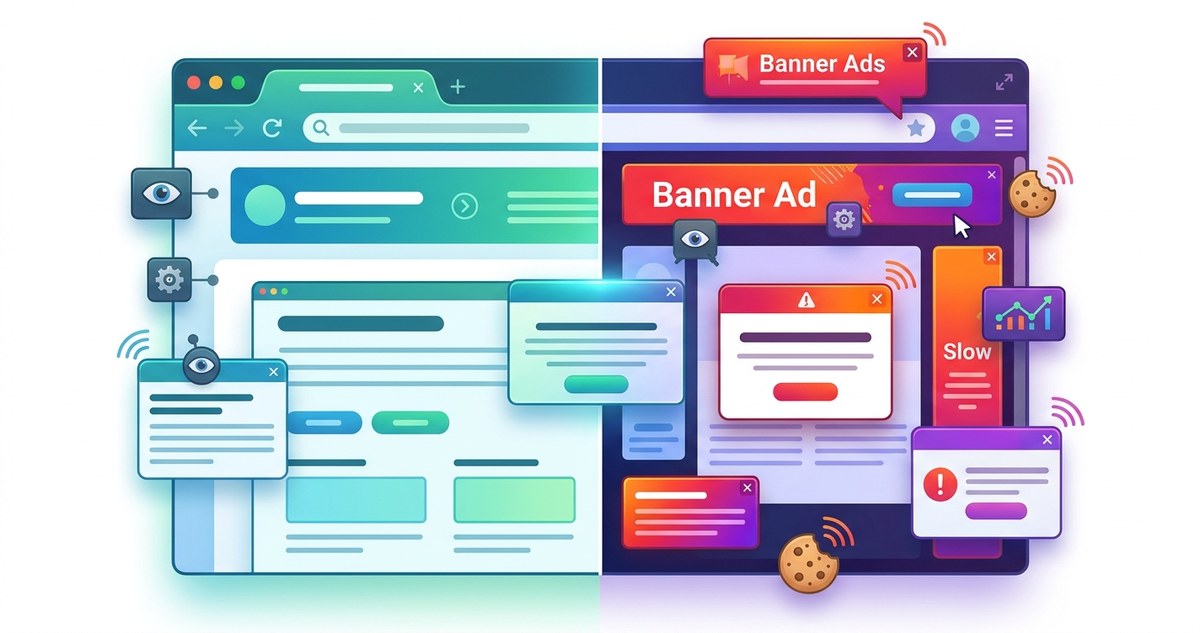
You found a free proxy list on Reddit or a forum. It promised speed, anonymity, and zero cost. You set it up, and for a while, things felt fine. But lately, you have noticed something strange. Your browser feels heavier. Pages load with extra boxes you do not recognize. Pop-ups appear on sites that never had them before. Your free proxy might be doing more than routing your traffic. It might be injecting ads and trackers directly into your browser.
Free proxies often make money by injecting ads and trackers into your traffic. This practice compromises your privacy, slows down your browsing, and exposes you to malware. You can spot the warning signs by watching for unexpected pop-ups, altered page layouts, mysterious redirects, and unusual browser behavior. If you see these signs, stop using the proxy immediately and consider a paid service that does not need to sell your data to stay afloat.
How ad injection works on free proxies
When you use a proxy, your web requests pass through that server before reaching the destination website. A malicious proxy operator can intercept the HTML of the pages you visit and inject their own code. This code can load advertisements, tracking scripts, or even malware. The proxy acts as a man-in-the-middle, and you have no way to block it from the client side because it controls the data stream.
The operator makes money every time you see an ad or when a tracking script collects your data. You pay with your privacy and your browser’s performance. Understanding this mechanism is the first step in recognizing the warning signs.
The 10 warning signs your free proxy is injecting ads and trackers
Here are the specific red flags that indicate your proxy is compromised. If you see any of these, your browsing security is at risk.
1. Unexpected pop-ups and banner ads on sites you know
Visit a site you use every day, like Wikipedia, a news outlet, or a government website. If you suddenly see pop-up ads for weight loss pills, casinos, or antivirus software, that is a strong signal. Legitimate sites like these do not run those types of aggressive ads. The proxy is injecting them into the page code.
2. Strange text links that were not there before
Look for hyperlinks embedded in the middle of paragraphs. You might see a random word like “here” or “discount” that is highlighted and clickable. These injected text links often lead to affiliate pages or malware download sites. Hover over the link without clicking. If the URL looks unrelated to the site you are on, your proxy is altering the content.
3. Redirects to unfamiliar pages
You type in a URL, and the page loads, but then your browser jumps to a different address automatically. This is a classic sign of ad injection. The proxy intercepts the response and sends a redirect command to your browser. These redirects often lead to fake survey pages, phishing sites, or pages full of advertisements.
4. Your browser’s homepage or search engine changed
If your default search engine suddenly becomes something you have never heard of, or your homepage switches to a portal full of ads, the proxy may have modified your browser settings. Some proxies inject scripts that change system settings to lock in their own search engine and collect your queries.
5. Slower page load times than normal
A proxy will always add some latency, but if pages take noticeably longer to load, the proxy might be processing your traffic to inject ads. The server has to parse the HTML, insert its code, and then send the modified page to you. This extra step can double or triple load times.
6. SSL/TLS certificate warnings in your browser
When you visit an HTTPS site, your browser checks the certificate. If the proxy is intercepting encrypted traffic (a practice called SSL stripping or man-in-the-middle), it may present a fake certificate. Your browser will warn you that the connection is not secure. If you see these warnings frequently while using a free proxy, the proxy is tampering with your encrypted data.
7. Ads that reference your recent searches
You search for a pair of running shoes on one site, and then you see banner ads for the exact same shoes on a completely unrelated news article. Normal ad networks can do this through cookies, but if the ads appear on sites that usually have no advertising, the proxy might be injecting trackers that follow you across sessions.
8. Your antivirus or ad blocker flags the proxy
Modern security software can detect when a proxy is injecting content. If your antivirus warns you about “potentially unwanted application” behavior or your ad blocker suddenly stops working, the proxy may be actively fighting your ad blocker. Some proxies inject code that disables ad-blocking extensions so their ads get through.
9. The proxy adds a toolbar or extension without asking
Some free proxy services try to install a browser toolbar or a Chrome extension during setup. If you notice an unfamiliar toolbar, or a new extension appears in your browser list, remove it. These extensions often contain tracking scripts and ad injection code that run even when the proxy is turned off.
10. You see “sponsored” content on pages that never had it
Many free proxies inject sponsored content blocks that look like native articles. You might see a box titled “You May Like” or “Sponsored Stories” at the bottom of a page. These blocks contain affiliate links. The proxy operator earns a commission if you click them. If you see this type of content on a site that has never shown it before, the proxy is monetizing your traffic.
How to test if your free proxy is safe
You do not need to be a security expert to check your proxy. Here is a simple process you can run right now.
- Disconnect the proxy. Browse to a few familiar sites and note how they look. Take screenshots if you want to be thorough.
- Reconnect the proxy. Visit the exact same pages again. Compare the layouts. Look for extra ads, links, or pop-ups that were not there before.
- Check the page source. On a page that looks suspicious, right-click and select “View Page Source.” Search for terms like “ad,” “tracker,” or “script.” If you see script tags that reference domains you do not recognize, the proxy injected them.
- Use a proxy testing tool. There are online services that can analyze a proxy for content modification. You can also use a tool like
curlwith a test page to see if the response body matches what the server originally sent.
Common ad injection techniques used by free proxies
The table below outlines the most common methods malicious proxies use to inject unwanted content.
| Technique | How it works | What you will notice |
|---|---|---|
| HTML injection | The proxy modifies the HTML of the page before sending it to you. | Extra banners, pop-ups, and text links appear in the page body. |
| JavaScript injection | The proxy inserts a script tag that loads ads from a remote server. | Pages run slower, and your browser may show security warnings. |
| Redirect injection | The proxy sends an HTTP redirect response to your browser. | Your browser jumps to a different URL without you clicking anything. |
| DNS hijacking | The proxy changes the DNS responses to point to ad-filled pages. | You type a correct URL but end up on a completely different site. |
| SSL stripping | The proxy intercepts HTTPS traffic by presenting a fake certificate. | You see SSL certificate errors in your browser. |
What to do if you find ads being injected
If you have confirmed that your free proxy is injecting ads or trackers, take these steps immediately.
- Stop using that proxy. Disconnect from it right now. Do not use it again.
- Clear your browser cache and cookies. Injected scripts can leave behind tracking cookies that persist even after you disconnect.
- Run a malware scan. Use a trusted antivirus program to scan your system for any unwanted software that the proxy may have dropped.
- Check your browser extensions. Remove any extensions that you do not recognize or that were installed recently.
- Change your passwords. If you entered any login credentials while using the compromised proxy, change those passwords from a clean connection.
Expert advice: “A free proxy that does not charge you money is almost always monetizing you in another way. Ad injection is one of the most common methods. If you value your privacy, use a paid proxy or VPN service that has a clear, audited no-logs policy. The few dollars a month is worth it to keep your browsing clean.” This advice comes from years of seeing users lose their data to free services.
Why free proxies are dangerous and what to use instead
The business model of a free proxy is fundamentally broken. Servers cost money. Bandwidth costs money. If the service is not charging you, it has to find another revenue stream. That stream is often your data, your attention, or your device’s resources. The hidden costs of using free proxy lists from Reddit and forums can be much higher than you expect.
Instead of risking your privacy, consider a paid proxy service or a reputable VPN. A paid service has a clear incentive to protect your data because you are the customer, not the product. If you need to understand the difference between the two, our guide on proxy vs VPN: which one should you use for privacy in 2026 can help you decide.
How to choose a safe proxy service
When you are ready to switch to a safe provider, look for these qualities.
- Transparent pricing. The service clearly states what you pay and what you get.
- No logs policy. The provider claims not to log your traffic, and ideally, they have an independent audit to prove it.
- Encrypted connections. The proxy supports HTTPS or SOCKS5 with authentication.
- Good reputation. Check independent review sites and forums. Look for user feedback that mentions ad injection or tracking. If people report those issues, stay away.
- Customer support. A real company offers support. If you cannot find a contact page, that is a red flag.
For a deeper look at what to avoid, read our article on 7 red flags that your free proxy list is stealing your data. It covers the signs that a proxy is harvesting your information.
A final word on using proxies safely
You do not have to give up on proxies entirely. They are useful tools for web scraping, accessing geo-blocked content, or adding a layer of anonymity. But you must choose your provider carefully. A few minutes of research can save you from weeks of dealing with malware, stolen passwords, and a browser full of unwanted ads.
If you are not ready to pay for a service, at least use a proxy that you have tested yourself. Our guide on how to test if your free proxy is actually safe walks you through the exact steps to check a proxy before you trust it with your traffic. And if you want to understand the full scope of the risk, read about what happens to your data when you connect to a free proxy server.
Stay curious, stay cautious, and keep your browsing clean.