 By carl
Choosing a VPN is only half the battle. The protocol powering that connection determines how fast, secure, and reliable your encrypted tunnel actually is. Most VPN apps hide this choice behind a single “Connect” button, but understanding what’s happening under the hood helps you troubleshoot issues, optimize performance, and make smarter decisions about your privacy.
VPN protocols are the technical frameworks that establish encrypted connections between your device and a VPN server. OpenVPN offers proven security, WireGuard delivers modern speed, IKEv2 excels on mobile networks, and L2TP/IPsec provides broad compatibility. Your ideal choice depends on whether you prioritize bulletproof encryption, maximum throughput, seamless roaming, or device support. Most users benefit from WireGuard for everyday browsing and OpenVPN when maximum security matters.
What VPN Protocols Actually Do
A VPN protocol is the set of instructions that governs how your data gets encrypted, packaged, and transmitted through the VPN tunnel. Think of it as the blueprint for building a secure highway between your device and the internet.
Different protocols make different trade-offs. Some prioritize military-grade encryption at the cost of speed. Others strip away legacy features to maximize throughput. A few focus on maintaining stable connections when you switch from WiFi to cellular data.
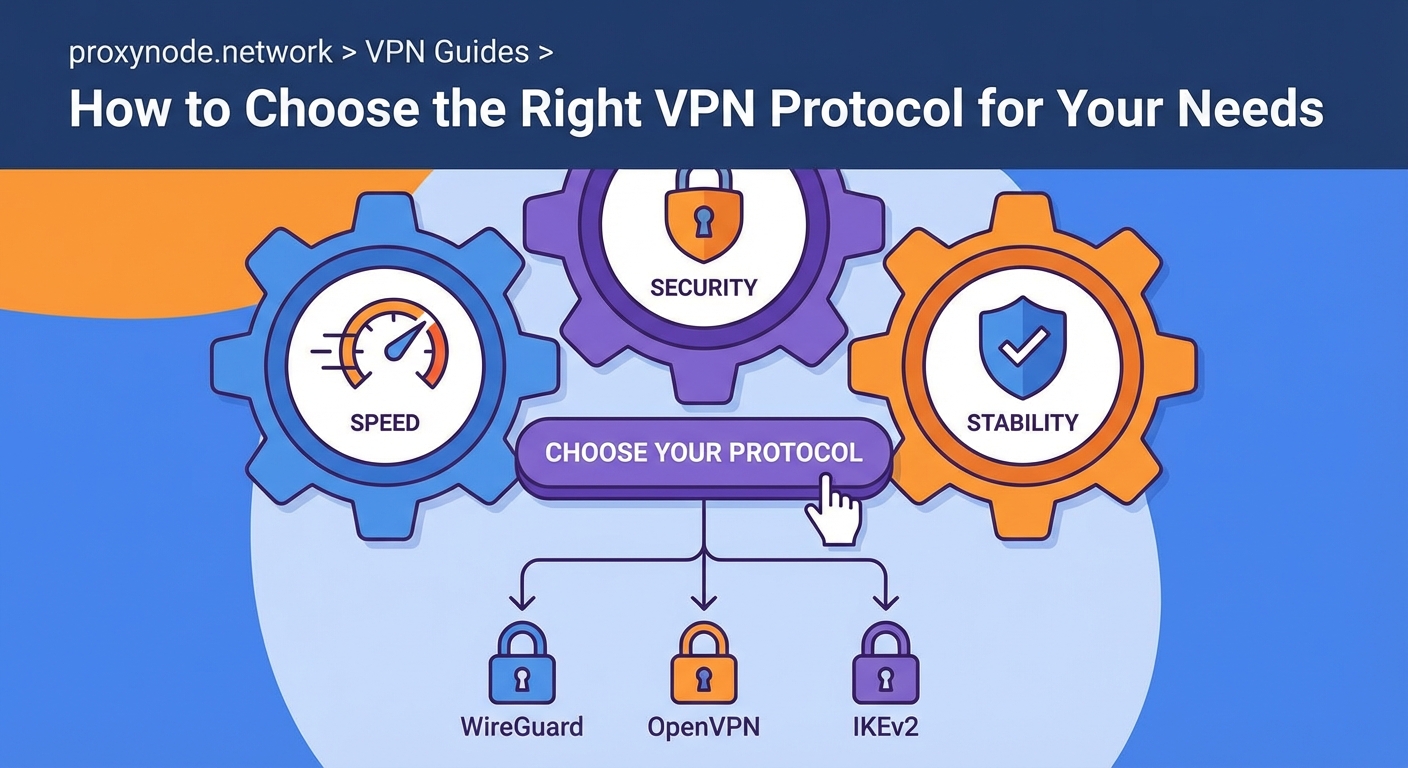
The protocol you choose affects three things directly:
- Speed: How much overhead the encryption adds to each packet
- Security: Which ciphers and authentication methods protect your data
- Compatibility: Which devices, operating systems, and networks support it
Understanding these trade-offs helps you match the right tool to the job. Streaming video requires different priorities than accessing a corporate network or bypassing censorship.
OpenVPN: The Industry Standard
OpenVPN has dominated the VPN landscape for nearly two decades. It’s open source, which means security researchers can audit the code for vulnerabilities. That transparency builds trust.
The protocol supports two modes: UDP and TCP. UDP prioritizes speed by skipping some error-checking steps, making it ideal for streaming or gaming. TCP adds reliability by confirming every packet arrives, which helps on unstable networks or when dealing with restrictive firewalls.
OpenVPN uses the OpenSSL library for encryption, supporting strong ciphers like AES-256. It can run on any port, including port 443 (the same one HTTPS uses), which helps it slip past network filters that block VPN traffic.
The downside? OpenVPN wasn’t designed for mobile devices. Reconnecting after your phone switches networks takes several seconds. The codebase is also large and complex, which can slow down connection speeds compared to leaner alternatives.
When to use OpenVPN:
- You need maximum security for sensitive work
- You’re connecting from a network that blocks most VPN traffic
- You’re using older devices that don’t support newer protocols
WireGuard: The Modern Alternative
WireGuard arrived in 2020 and immediately changed the conversation. The entire codebase is under 4,000 lines, compared to OpenVPN’s 70,000+. Less code means fewer places for bugs to hide and faster performance.
Speed tests consistently show WireGuard outperforming OpenVPN by 50% or more. The protocol uses state-of-the-art cryptography that’s both faster and more secure than older cipher suites. It handles network changes gracefully, making it perfect for laptops that roam between WiFi networks or phones that switch to cellular.
The catch? WireGuard assigns a static IP address to each connection by default, which creates a privacy concern. VPN providers have worked around this with custom implementations, but it adds complexity.
WireGuard also lacks some enterprise features that corporate IT departments rely on. It’s built for individual users, not managing thousands of simultaneous connections with granular access controls.
When to use WireGuard:
- You want the fastest possible speeds for streaming or downloads
- You frequently switch between WiFi and cellular networks
- You’re using a modern device with recent operating system updates
IKEv2/IPsec: The Mobile Champion
IKEv2 (Internet Key Exchange version 2) paired with IPsec creates a protocol that excels at one thing: maintaining stable connections on mobile devices. When your phone switches from WiFi to 4G, IKEv2 reconnects almost instantly.
This protocol is built into most operating systems. iOS and macOS support it natively, which means you can set up a VPN without installing third-party apps. That native integration also improves battery life compared to protocols that require separate apps running in the background.
Security-wise, IKEv2/IPsec holds up well. It supports strong encryption standards and includes built-in protection against certain attacks. The protocol is also fast, though not quite as lean as WireGuard.
The main limitation is platform support. While it works beautifully on Apple devices and Windows, Linux support requires extra configuration. Some networks also block the UDP ports IKEv2 uses, though it can fall back to TCP.
When to use IKEv2/IPsec:
- You primarily use an iPhone or iPad
- You need seamless roaming between networks
- You prefer native OS integration over third-party apps
L2TP/IPsec: The Compatibility Fallback
L2TP (Layer 2 Tunneling Protocol) combined with IPsec is the protocol you use when nothing else works. It’s supported on virtually every device made in the past 15 years, including smart TVs, gaming consoles, and ancient smartphones.
The protocol wraps your data in two layers of encryption, which sounds secure but actually creates overhead without adding much protection. L2TP itself doesn’t encrypt anything; it just creates the tunnel. IPsec handles the actual encryption.
Speed suffers because of that double encapsulation. The protocol also uses fixed ports (UDP 500 and 4500), making it easy for network administrators to block. Some security researchers have raised concerns about potential NSA backdoors, though no concrete evidence has emerged.
When to use L2TP/IPsec:
- You’re setting up a VPN on a device that doesn’t support modern protocols
- You need something that works right now without troubleshooting
- You’re connecting to a legacy corporate VPN that requires it
PPTP: Avoid This One
Point-to-Point Tunneling Protocol is fast, easy to set up, and completely broken from a security standpoint. Researchers demonstrated serious vulnerabilities decades ago, yet some VPN providers still offer it.
The encryption can be cracked in hours with consumer hardware. If you care at all about privacy or security, never use PPTP. It’s only mentioned here so you know to skip it when you see it in settings menus.
SSTP: The Windows-Only Option
Secure Socket Tunneling Protocol was developed by Microsoft and works exclusively on Windows. It tunnels traffic over SSL/TLS, the same encryption that protects HTTPS websites.
Because SSTP uses port 443, it can bypass most firewalls. The protocol is stable and reasonably secure. But the Windows-only limitation and closed-source nature make it a niche choice.
If you’re on Windows and need to bypass restrictive networks, SSTP works. For everything else, you have better options.
Comparing Protocol Performance
Here’s how the main protocols stack up across key factors:
| Protocol | Speed | Security | Mobile Support | Firewall Bypass | Open Source |
|---|---|---|---|---|---|
| WireGuard | Excellent | Excellent | Excellent | Good | Yes |
| OpenVPN | Good | Excellent | Fair | Excellent | Yes |
| IKEv2/IPsec | Very Good | Very Good | Excellent | Good | Partial |
| L2TP/IPsec | Fair | Good | Excellent | Poor | Partial |
| PPTP | Excellent | Poor | Excellent | Fair | No |
| SSTP | Good | Good | Poor | Excellent | No |
Matching Protocols to Use Cases
Different scenarios call for different protocols. Here’s how to think through common situations:
Streaming video: WireGuard gives you the speed to handle 4K without buffering. OpenVPN UDP works too, but you might notice slightly longer load times.
Public WiFi security: OpenVPN TCP or WireGuard both provide strong encryption. OpenVPN TCP handles spotty coffee shop connections better.
Mobile browsing: IKEv2 on iOS devices, WireGuard on Android. Both handle network switching smoothly.
Bypassing censorship: OpenVPN on port 443 with TCP makes your VPN traffic look like regular HTTPS. Some providers offer obfuscation features that add another layer of disguise.
Corporate access: Whatever your IT department specifies. Enterprise VPNs often require IKEv2 or OpenVPN with specific configurations.
Gaming: WireGuard minimizes latency. Avoid TCP-based protocols since the extra error checking adds delay.
The best protocol is the one you’ll actually use. If WireGuard confuses you or doesn’t work on your device, OpenVPN set to auto-connect serves you better than the “perfect” protocol you never enable.
How to Switch Protocols
Most VPN apps let you change protocols in settings. The exact steps vary by provider, but the pattern is similar:
- Open your VPN app and disconnect from the current server
- Navigate to settings or preferences (usually a gear icon)
- Look for “Protocol,” “Connection,” or “Advanced” options
- Select your preferred protocol from the dropdown menu
- Reconnect to test the new configuration
Some apps include an “Automatic” option that tries multiple protocols until one works. This helps on restrictive networks but gives you less control over the security/speed trade-off.
If you’re manually configuring a VPN (on a router, for example), you’ll need the specific connection details for your chosen protocol. Your VPN provider’s website should have setup guides for each option.
Test your connection after switching. Run a speed test, check for DNS leaks, and make sure your real IP address stays hidden. A protocol that doesn’t work properly offers zero privacy.
Common Protocol Problems and Fixes
Connection drops frequently: Switch from UDP to TCP. UDP is faster but less reliable on unstable networks.
Can’t connect at all: Try a different protocol. Some networks block specific ports or protocols entirely. OpenVPN on port 443 bypasses most restrictions.
Slow speeds: WireGuard usually fixes this. If you’re already using WireGuard, the bottleneck might be your server location or ISP throttling.
VPN blocks certain apps: Some protocols struggle with peer-to-peer traffic. OpenVPN UDP handles torrent clients better than most alternatives.
Battery drains fast: IKEv2 uses less power than OpenVPN on mobile devices. WireGuard also performs well for battery life.
Privacy concerns with WireGuard: Make sure your provider uses a custom implementation that assigns dynamic IP addresses. Check their privacy policy for details on how they handle the static IP issue.
Protocol Security Considerations
All the protocols discussed here (except PPTP) provide solid encryption when configured correctly. But implementation matters as much as the protocol itself.
Look for these security features:
- Perfect forward secrecy: Each session uses unique encryption keys, so compromising one connection doesn’t expose past traffic
- Strong ciphers: AES-256 is the current standard for symmetric encryption
- Secure authentication: RSA-2048 or higher for key exchange
- Kill switch: Blocks internet traffic if the VPN disconnects, preventing accidental data leaks
The protocol is just one piece of the security puzzle. Your VPN provider’s logging policy, jurisdiction, and infrastructure practices matter just as much.
Making Your Choice
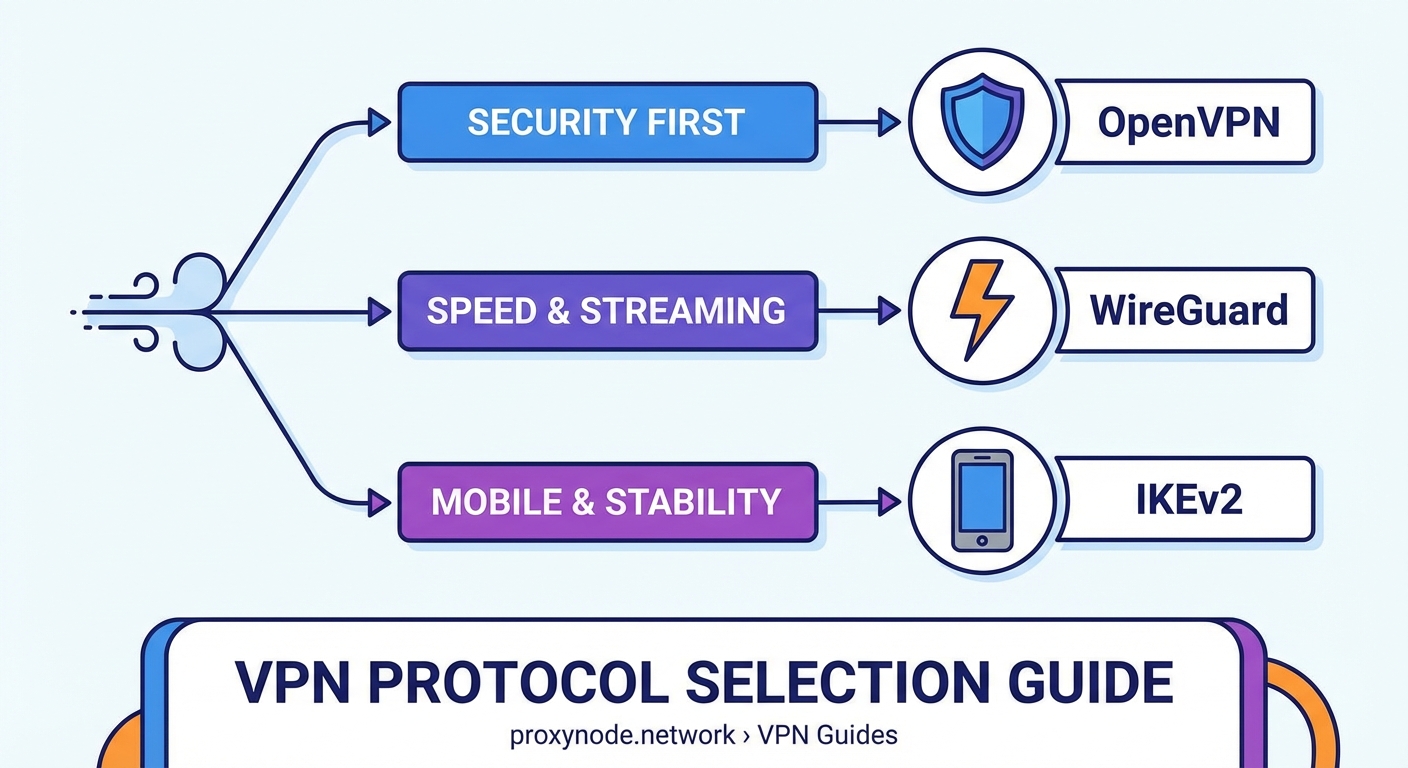
For most people, WireGuard offers the best balance of speed, security, and ease of use. It works well on modern devices and handles network changes gracefully.
Stick with OpenVPN if you need maximum compatibility with older systems, require specific enterprise features, or connect from networks that aggressively block VPN traffic.
Choose IKEv2 if you’re primarily on iOS devices and value native integration over absolute maximum speed.
Avoid PPTP entirely. L2TP/IPsec only makes sense as a last resort for devices that support nothing else.
The good news? You’re not locked into one choice forever. Test different protocols for your specific use case. Run speed tests. Check how well they handle your daily network switching. The best protocol is the one that works reliably for your actual usage patterns.
Your Protocol Strategy Moving Forward
Understanding VPN protocols transforms you from a passive user clicking “Connect” into someone who can troubleshoot issues, optimize performance, and make informed decisions about your privacy setup.
Start with WireGuard if your VPN provider offers it. Test it for a week during your normal activities. If you run into connection issues or need to bypass a restrictive network, switch to OpenVPN TCP and compare the experience.
Keep notes on what works where. Your home WiFi might handle WireGuard perfectly while your office network requires OpenVPN on port 443. Building this knowledge helps you adapt to different situations without frustration.
The protocol you choose matters, but using a VPN consistently matters more. Pick the option that works reliably enough that you’ll actually keep it enabled. That’s the configuration that protects you in practice, not just in theory.