 By carl
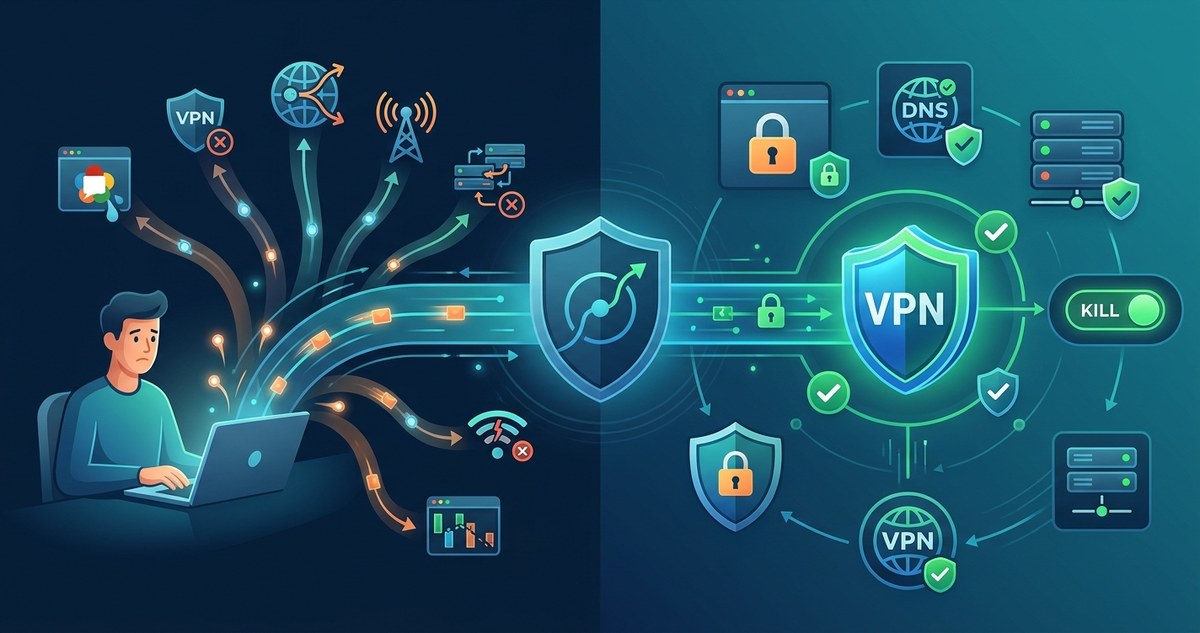
You pay for a VPN to stay invisible online. You flip the switch, the little padlock icon turns green, and you assume your real IP address is tucked away safely. But here is the uncomfortable truth: a VPN IP address leak can happen even when your connection looks solid. Your actual location, your ISP, and your home address can slip through cracks you did not know existed. And the worst part? Many of these leaks are silent. You would never notice them unless you knew exactly where to look.
A VPN alone is not enough to guarantee your real IP stays hidden. Leaks happen through IPv6, WebRTC, DNS requests, and even your browser’s time zone. The solution is a layered defense: disable IPv6, block WebRTC in your browser, use a kill switch, route DNS through your VPN tunnel, and test for leaks regularly. One fix is rarely enough.
Why Your VPN Is Not a Magic Cloak
Think of a VPN like a secure tunnel for your data. Everything that goes through that tunnel is encrypted and appears to come from the VPN server’s IP address. But here is the catch: only traffic that enters the tunnel is protected. Any data that bypasses the tunnel leaks out into the open with your real IP address still attached. That is the core reason a VPN IP address leak happens. Your VPN app might be running, but certain types of traffic are sneaking out the back door.
The 7 Ways Your Real IP Slips Through
1. IPv6 Traffic Ignores Your VPN
Most VPNs still handle only IPv4 traffic. Your device likely has both an IPv4 and an IPv6 address. When you connect to a website over IPv6, that request never enters the VPN tunnel. It goes straight out over your real internet connection, exposing your true IP address. This is one of the most common and overlooked causes of a VPN IP address leak.
How to fix it: Disable IPv6 on your device or use a VPN provider that fully supports IPv6 routing. You can also check your VPN provider’s documentation to see if they offer IPv6 leak protection.
2. DNS Leaks Spill Your Browsing History
When you type a website name into your browser, your device asks a DNS server for the numeric IP address. If that DNS request goes to your ISP’s server instead of through your VPN tunnel, you have a DNS leak. Your ISP can see every site you visit, and the request itself can reveal your real IP address.
How to fix it: Configure your VPN to use a secure DNS resolver, or set your device to use a trusted DNS service like Cloudflare or Quad9. Learn more about how to identify and prevent VPN DNS leaks.
3. WebRTC Leaks from Your Browser
WebRTC is a technology that lets browsers make voice and video calls directly. It bypasses your VPN on purpose to reduce lag. When a website uses WebRTC, your browser can reveal your real IP address even while your VPN is connected. This is a classic VPN IP address leak that affects Chrome, Firefox, and Edge.
How to fix it: Disable WebRTC in your browser settings, or use a browser extension that blocks it. You can also use a browser that does not support WebRTC at all for sensitive tasks. Here is a guide on how to detect and fix WebRTC leaks.
4. The VPN Drops and You Stay Connected
Your VPN connection can drop for a split second. If your device does not cut off internet access during that moment, your real IP address is exposed. This is called a VPN disconnect leak. Streaming services, torrent clients, and even background apps can send data during that window.
How to fix it: Enable a kill switch on your VPN. A kill switch blocks all internet traffic when the VPN disconnects. Our guide on how to set up a kill switch walks you through the process.
5. Your Browser’s Time Zone and Location Data
Websites can use JavaScript to read your browser’s time zone offset. If your VPN server is in a different time zone than your real location, the mismatch can reveal that you are using a VPN. Worse, some sites use geolocation APIs that bypass the VPN entirely.
How to fix it: Use a browser extension that spoofs your time zone, or set your system time to match the VPN server’s time zone. Also, consider using a privacy-focused browser like Brave or Firefox with strict privacy settings.
6. Torrent Clients Leak Your IP
BitTorrent clients often ignore your system’s proxy or VPN settings. They can connect directly to peers using your real IP address. This is a well-known VPN IP address leak that has landed many people in legal trouble.
How to fix it: Bind your torrent client to the VPN network interface. In qBittorrent, for example, you can set the network interface to your VPN adapter. This ensures that all torrent traffic goes through the VPN. For a deeper comparison, see which keeps your IP hidden best: VPN or proxy for torrenting.
7. Malicious or Misconfigured VPN Apps
Some free VPN apps are designed to collect and sell your data. They might intentionally leak your IP address or log it on their servers. Even legitimate apps can have bugs that cause a VPN IP address leak.
How to fix it: Use a trusted, paid VPN provider with a proven no-logs policy. Avoid free VPNs that seem too good to be true. Read our guide on 12 red flags that your VPN provider might be logging your activity.
How to Test for a VPN IP Address Leak
You can check if your real IP is leaking right now. Follow these steps:
- Disconnect your VPN and visit a site like whatismyip.com. Write down your real IP address.
- Connect your VPN and visit the same site again. The IP address should change to your VPN server’s IP.
- Now run a WebRTC leak test using a site like browserleaks.com. Check if your real IP appears anywhere.
- Perform a DNS leak test using a tool like dnsleaktest.com. If your ISP’s DNS server shows up, you have a leak.
- Disable your VPN briefly and re-enable it. Check if any apps sent traffic during the disconnect window.
If any of these tests show your real IP address, you have a VPN IP address leak that needs fixing.
Common Mistakes That Cause Leaks
| Mistake | What Happens | How to Avoid It |
|---|---|---|
| Using a free VPN | Free VPNs often log data or have weak leak protection | Pay for a reputable service with a no-logs policy |
| Enabling split tunneling | Some traffic bypasses the VPN intentionally | Disable split tunneling unless you have a specific reason |
| Ignoring IPv6 | IPv6 traffic leaks outside the VPN tunnel | Disable IPv6 or use a VPN that supports it |
| Not using a kill switch | A dropped VPN exposes your real IP | Always enable the kill switch in your VPN settings |
| Relying on browser privacy mode | Incognito mode does not hide your IP from websites | Use a VPN alongside private browsing |
Expert Advice on Staying Leak-Free
“The biggest misconception I see is that people think a VPN is a one-click solution for total anonymity. It is not. You need to treat it like a tool in a larger privacy toolkit. Disable IPv6, block WebRTC, use a kill switch, and test your setup regularly. A VPN IP address leak is almost always preventable if you know what to look for.” – Security researcher and privacy advocate
Putting It All Together: Your Leak-Proof Routine
You do not need to be a network engineer to stop a VPN IP address leak. Here is a simple checklist you can run through once a month:
- Confirm your VPN kill switch is enabled.
- Run a DNS leak test.
- Run a WebRTC leak test.
- Check that IPv6 is disabled on your device.
- Verify your torrent client is bound to the VPN interface.
- Review your VPN provider’s logging policy for any changes.
If you want a deeper understanding of how your data moves through a VPN, read about what happens to your data when you connect to a VPN. And if you are still deciding between tools, our comparison of SOCKS5 proxy vs VPN can help you choose the right setup for your needs.
Staying One Step Ahead of Leaks
A VPN IP address leak is not a sign that your VPN is useless. It is a sign that you need to close a few gaps in your setup. The good news is that every leak on this list has a straightforward fix. Take ten minutes this week to run through the tests and adjustments above. Your real IP address is your digital home address. Keep it private. Keep it safe. And never assume your VPN is doing all the work on its own.