 By carl
You signed up for a VPN to get some privacy online. You paid your money, installed the app, and trusted that your browsing habits would stay between you and the internet. But what if the company you trusted is actually making money on the side by packaging and selling everything you do? It happens more often than you think. Some VPN providers claim to protect your privacy while quietly logging your activity and selling that data to advertisers, data brokers, or even worse. The scariest part is that most users never realize their VPN is the leak.
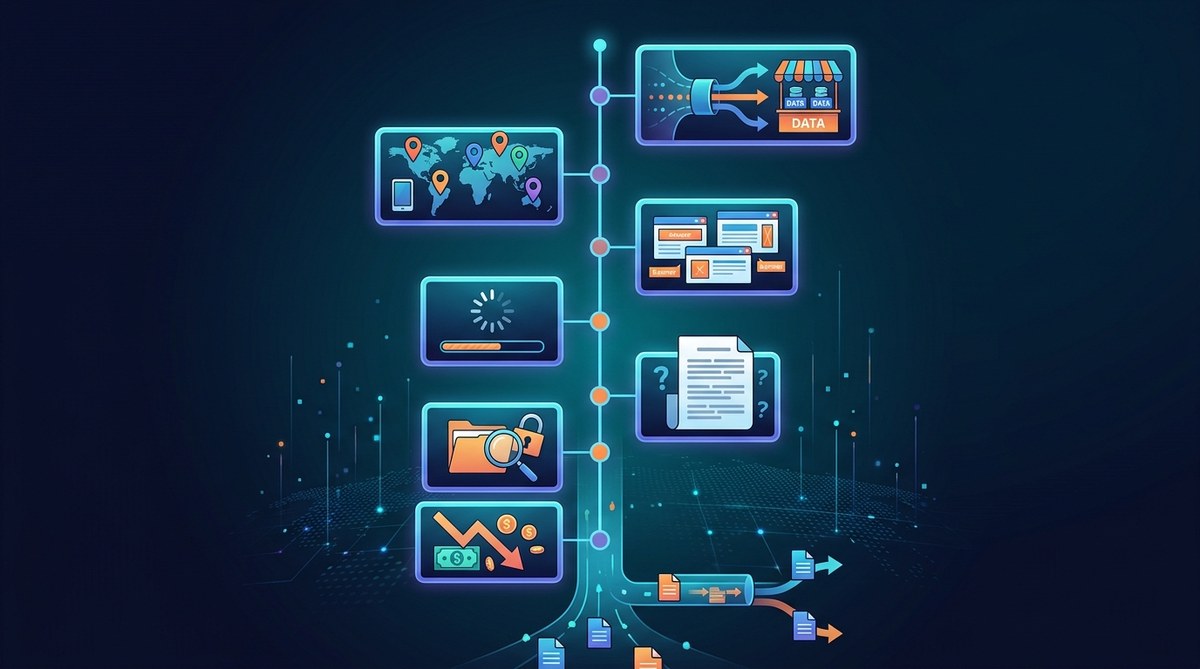
Your VPN should be a tool for privacy, not a pipeline for your personal data. If you see vague logging policies, mysterious sponsored content, or sudden changes in your browsing experience, your provider might be selling your information. Watch for freemium models that seem too good to be true, missing kill switches, and third-party audits that never appear. Trust actions, not marketing promises.
How VPN Data Selling Actually Works
A VPN is supposed to create an encrypted tunnel between your device and the internet. Your ISP sees only encrypted traffic. The websites you visit see the VPN server’s IP address instead of yours. But the VPN provider sits right in the middle. They have the keys to the castle.
When a provider logs your activity, they can see every site you visit, every search you make, and every app you use. That information is incredibly valuable. Data brokers pay good money for browsing histories because they can build detailed profiles for targeted advertising. Some VPNs also inject tracking cookies or modify traffic to serve their own ads. Others sell your bandwidth to third-party networks without telling you.
The worst part is the deception. Many providers publish privacy policies that sound ironclad but contain loopholes big enough to drive a truck through. They might claim they do not log personal data while still collecting aggregate data that can be tied back to individual users.
7 Warning Signs Your VPN Is Selling Your Data
1. The Privacy Policy Is Vague or Contradictory
A trustworthy VPN will tell you exactly what data they collect and what they do not. If the privacy policy uses phrases like “we may collect anonymized data for service improvement” or “we do not log your activity except where required by law,” pay attention. Those exceptions are where data leaks happen.
Look for specific language about connection logs, timestamps, bandwidth usage, and IP addresses. If the policy says they do not log your activity but also mentions collecting metadata for analytics, that is a contradiction. Metadata can reveal just as much as the content of your traffic.
Read the fine print. Some providers bury data-sharing clauses in terms of service updates that you probably clicked through without reading. If you cannot find a clear, simple explanation of their logging practices, that is a red flag.
2. They Offer a Free Tier That Feels Too Generous
Running a VPN costs money. Servers, bandwidth, and staff are not free. If a provider offers a generous free tier with no limits, they have to make money somewhere. The old saying about free services still holds true: if you are not paying for the product, you are the product.
Many free VPNs survive by selling user data. They collect your browsing habits and sell them to advertisers. Some even inject their own ads into your web traffic. If you see ads appearing in places they should not be, your VPN might be the culprit.
That does not mean every paid VPN is safe. Some paid services also sell data on the side. But a free VPN with unlimited data and no restrictions is almost certainly monetizing your information in some way. For a deeper look at this trade-off, check out our guide on whether you should use a free VPN or pay for premium service.
3. You Notice Unexpected Ads or Redirects
Your VPN should not be modifying your web traffic. If you start seeing unfamiliar ads, pop-ups, or redirects to sponsored pages, something is wrong. Some VPN providers inject affiliate cookies into your browser or redirect your searches to partner sites so they can collect commissions.
This practice is called traffic monetization. It is common among shady providers. They replace legitimate ads with their own, or they redirect you to landing pages before letting you reach your intended destination. If you notice that your browsing experience has changed since you started using the VPN, run some tests.
Try visiting a few sites you know well. Look for any elements that seem out of place. Check the URL bar for unexpected redirects. If the VPN is injecting anything into your traffic, it is not protecting your privacy. It is exploiting you.
4. The Company Has Never Published a Transparency Report
Reputable VPN providers publish regular transparency reports. These documents show how many data requests they receive from governments and law enforcement, and how they respond to them. A provider that has nothing to hide will be proud to show that they have zero user data to hand over.
If your VPN has been around for years but has never published a single transparency report, ask why. The absence of a report does not prove they are selling data, but it does mean they are not willing to prove they are protecting it.
Some providers also submit to independent security audits. Look for audit reports from firms like Cure53 or VerSprite. If the company refuses to allow outside auditors to examine their systems, they might have something to hide. Learn more about what your provider really knows by reading our article on understanding VPN logging policies.
5. Your Connection Speed Drops at Predictable Times
Data selling often happens in real time. When your VPN provider is packaging your traffic for sale, they need to process it through analytics servers or ad-injection systems. That extra step can slow down your connection.
If you notice that your speeds drop during certain hours or when visiting specific types of sites, it could be a sign that your traffic is being analyzed. Some providers throttle specific kinds of traffic to encourage you to upgrade to a paid plan. Others simply have poor infrastructure because they are spending more on monetization than on server maintenance.
Run a speed test with the VPN on and off. Compare the results. Some slowdown is normal because of encryption overhead. But if your speed drops by more than 50 percent consistently, something is off.
6. The VPN Lacks a Working Kill Switch
A kill switch cuts your internet connection if the VPN drops. It prevents your real IP address from leaking out. Every serious VPN provider should offer this feature. If yours does not, or if the kill switch does not work properly, you have a problem.
Why would a provider skimp on a kill switch? Because they want your data to flow even when the VPN is not protecting you. A broken kill switch means your traffic can leak out without encryption, and the provider can still claim they provided the service. It is a cheap way to appear privacy-focused without actually delivering.
Test your kill switch by disconnecting the VPN and seeing if your internet stops. If it does not, the feature is not working. For instructions on setting this up properly, see our guide on how to set up a kill switch and why it matters for VPN users.
7. The Company Was Acquired by a Data Broker
This is a big one. Keep an eye on the news. When a VPN provider gets bought by a company that specializes in data collection or advertising, the writing is on the wall. The new owners did not pay millions for the technology. They paid for the user base and the data pipeline.
Several well-known VPNs have been acquired by data-hungry corporations in recent years. After the acquisition, the privacy policies changed. Logging started. Users found their data being used in ways they never agreed to.
If your provider changes ownership, read the new privacy policy carefully. If you do not like what you see, switch providers immediately. Your data is not worth the risk.
How to Test Your VPN for Data Leaks
You do not have to take your provider’s word for it. You can run some tests yourself.
Here is a practical process you can follow:
-
Check your DNS requests. Use a tool like Wireshark or a DNS leak test website. If your DNS queries go to your ISP instead of the VPN, your provider is not encrypting your DNS traffic. That means someone else can see what sites you visit.
-
Monitor your traffic for injection. Install a browser extension that blocks ads and trackers. If you see ads that look out of place, your VPN might be injecting them. Compare your browsing experience with the VPN on and off.
-
Review the privacy policy again. Look for specific language about what they log. If the policy has changed recently, compare the old version to the new one. Services like the Wayback Machine can help.
-
Search for independent audits. Look for the provider’s name plus “security audit” or “transparency report.” If you find nothing, that tells you something.
-
Test your IP address. Visit a site like ipleak.net with your VPN connected. Make sure only the VPN IP shows up. Check for WebRTC leaks and IPv6 leaks. These are common ways your real IP can slip through.
For a complete walkthrough of this process, read our guide on how to test your VPN for DNS, IP, and WebRTC leaks in 5 minutes.
What to Do If You Suspect Your VPN Is Selling Data
If you see any of the signs above, do not wait. Switch providers immediately. Your privacy is worth more than the hassle of changing services.
Here is a checklist of actions to take:
- Cancel your subscription to the current provider.
- Revoke any permissions the VPN app has on your devices.
- Clear your browser cookies and cache.
- Change your passwords for important accounts.
- Choose a new provider that has a proven track record of privacy protection.
- Look for providers that have undergone independent security audits.
- Read the privacy policy before you sign up.
- Test the new VPN for leaks after you install it.
Many people stick with a bad VPN because they already paid for a year. That is a sunk cost. Your data is worth far more than the money you spent. Cut your losses and move on.
Understanding the Business Models Behind VPN Services
Not all VPNs are created equal. The business model tells you everything about their priorities.
| Business Model | How It Works | Privacy Risk |
|---|---|---|
| Freemium | Free tier supported by ads or data sales | High risk. Free users are often the product. |
| Subscription only | Users pay a monthly or yearly fee | Lower risk if the company is transparent. |
| Venture capital backed | Funded by investors who expect growth | Medium risk. Pressure to monetize can lead to data sales. |
| Open source community | Run by volunteers or non-profits | Lowest risk. Code is public and auditable. |
If your provider is in the freemium category, be extra careful. The subscription model is safer, but only if the company has a clear no-logging policy that has been verified by an independent third party.
What a Legitimate No-Log Policy Looks Like
A real no-log policy is not a marketing statement. It is a technical commitment. The provider should not have the technical ability to tie your activity back to you. That means no connection logs, no timestamps, no bandwidth logs, and no session data.
Here is what to look for in a privacy policy:
- A clear statement that they do not log any activity.
- A list of exactly what data they do collect (payment info, email address, etc.).
- A disclosure of any third-party services they use.
- A commitment to regular independent audits.
- A warrant canary or similar mechanism to alert users if they are forced to log data.
If the policy says “we do not log your activity” but also mentions “we may collect aggregate data for analytics,” that is a red flag. Aggregate data can often be de-anonymized.
“The only way to trust a VPN provider is to verify their claims independently. If they refuse to be audited, assume they are logging everything.” — Privacy researcher and security auditor
Why Free Services Are Especially Dangerous
Free VPNs are the most common source of data selling scandals. They have to pay for servers somehow. Some use your bandwidth to run a peer-to-peer network. Others inject ads. The worst ones sell your full browsing history to anyone who pays.
If you are using a free VPN right now, stop. Even a cheap paid VPN is better than a free one. You can find reliable services for a few dollars per month. That small investment is worth it to keep your data out of the hands of data brokers.
For more on the dangers of free services, read our article on why free proxies are dangerous and what to use instead.
Taking Control of Your Privacy
You do not have to be a victim of data selling. You have the power to choose a provider that respects your privacy. The signs are there if you know where to look. Vague policies, free tiers that seem too good, and missing features like kill switches are all warnings.
Trust your gut. If something feels off about your VPN, it probably is. Your browsing history is personal. Do not let a company sell it without your permission. Do your research, run your tests, and switch if you need to. Your privacy is worth the effort.