 By carl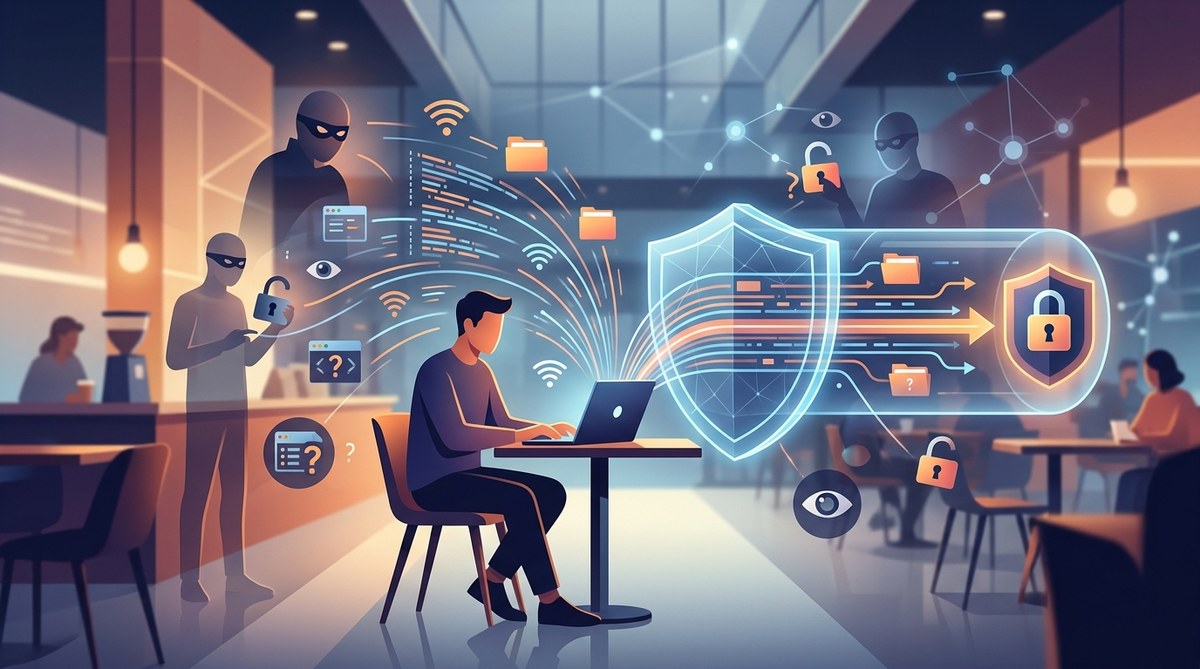
You grab a coffee, pull out your laptop, and connect to the free Wi-Fi at the cafe. It takes two seconds. You check your bank balance, reply to a work email, and log into your social media. No big deal, right?
Wrong.
That open network you just joined could be a trap. Every keystroke you make, every password you type, and every photo you upload could be visible to someone sitting three tables away. Public Wi-Fi is not a gift. It is a risk. And in 2026, the threats are more common than ever.
Here is the good news. You do not need to be a cybersecurity expert to stay safe. You just need one tool that works every single time: a VPN.
Public Wi-Fi networks are unencrypted by default, meaning anyone on the same network can intercept your traffic. A VPN encrypts everything you send and receive, turning your data into unreadable code. This stops hackers, snoopers, and even the coffee shop itself from seeing your passwords, messages, or browsing history. If you use public Wi-Fi without a VPN, you are gambling with your personal information. Every time.
What Makes Public Wi-Fi So Dangerous?
Public Wi-Fi networks are designed for convenience, not security. When you connect to one at an airport, hotel, or library, you are joining a shared space. Everyone else on that network can see certain parts of your traffic unless you take steps to hide it.
There are three main threats you face on any open network.
The Man in the Middle Attack
This is the classic coffee shop hack. A bad actor positions themselves between you and the Wi-Fi router. They intercept your data before it reaches its destination. Your device thinks it is talking to the router. The router thinks it is talking to you. But the hacker is reading everything in between.
You might be checking your email. They see your login credentials. You pay for a subscription. They capture your credit card number. This all happens in seconds, and you never notice a thing.
Evil Twin Networks
This one is sneaky. A hacker sets up a fake Wi-Fi hotspot with a name that looks legit. You see “Starbucks_Guest_Free” or “Airport_WiFi_5G.” You connect, and it works fine. But you are actually handing your data directly to the person who set it up.
In 2026, these fake networks are easy to create with a simple laptop. No special equipment is needed. The hacker can then see everything you do, redirect you to fake login pages, and steal your information.
Packet Sniffing
Even on a legitimate public network, your data is often sent in plain text. Anyone with free software can “sniff” the airwaves and read the packets being transmitted. This is called packet sniffing. It does not require hacking the router. It just requires being in range of the signal.
If you visit a website that does not use HTTPS, your entire session is visible. But even HTTPS sites can leak information through DNS queries and other metadata. A VPN stops all of this cold.
How a VPN Protects You on Public Wi-Fi
A VPN, or Virtual Private Network, creates a secure tunnel between your device and a remote server. Everything that passes through that tunnel is encrypted. Even if a hacker intercepts the data, they see only gibberish.
Here is what a VPN does for you on a public network:
- It encrypts all your traffic, not just your browser.
- It hides your real IP address, replacing it with the VPN server’s IP.
- It prevents your internet service provider and the Wi-Fi provider from seeing what you do.
- It protects against man in the middle attacks and packet sniffing.
Think of it like this. Public Wi-Fi without a VPN is like sending a postcard through the mail. Anyone who handles it can read your message. A VPN is like sealing that postcard inside a locked steel box. Only the person on the other end has the key.
When You Are Most at Risk
You might think you only use public Wi-Fi for casual browsing. But let’s be honest. Here are the moments when you probably connect without thinking:
- Checking your bank account at the airport before a flight.
- Logging into your work email from a hotel lobby.
- Paying for a ride share or food delivery at a cafe.
- Accessing your medical records or insurance portal from a library.
- Shopping online while waiting for a train.
Every single one of these actions sends sensitive data across the network. Without a VPN, that data is exposed.
“The biggest mistake people make is assuming public Wi-Fi is safe because they see other people using it. Security is not a popularity contest. If you are not using a VPN, your data is up for grabs.” – Security researcher at a 2025 privacy conference.
How to Set Up and Use a VPN on Public Wi-Fi
You do not need to be a tech wizard. Follow these five steps and you will be protected in minutes.
-
Choose a reputable VPN provider. Look for one with a strict no-logs policy, strong encryption (AES-256 is the standard), and a kill switch feature. Avoid free VPNs. They often log your data or sell it to third parties. If you are weighing your options, our guide on should you use a free VPN or pay for premium service can help you decide.
-
Download and install the VPN app. Most providers offer apps for Windows, macOS, iOS, and Android. Download from the official website or app store. Never use a third party download site.
-
Connect to a server before joining public Wi-Fi. This is a critical step. Open the VPN app and connect to a server in a location you trust. Once the VPN shows it is connected, then join the public Wi-Fi network. This ensures your traffic is encrypted from the very first moment.
-
Enable the kill switch. A kill switch automatically cuts your internet connection if the VPN drops. This prevents your real IP from leaking even for a split second. Most good VPNs have this feature built in. Make sure it is turned on. Our article on how to set up a kill switch and why it matters for VPN users walks you through the process.
-
Test for leaks. After you connect, run a quick leak test. There are free websites that check if your real IP or DNS is leaking. If the test shows only the VPN server’s IP, you are good to go. For a full walkthrough, see our guide on how to test your VPN for DNS, IP, and WebRTC leaks in 5 minutes.
Common Mistakes People Make With VPNs
Even with a VPN, you can accidentally expose yourself. Here are the most common errors and how to avoid them.
| Mistake | Why It Is Dangerous | The Fix |
|---|---|---|
| Connecting to Wi-Fi before the VPN | Your real IP is exposed for several seconds. | Always connect the VPN first. |
| Using a free VPN | Many free VPNs log your data or inject ads. | Pay for a reputable service. |
| Disabling the VPN for “trusted” sites | A single unencrypted request can leak your identity. | Keep the VPN on for all traffic. |
| Ignoring DNS leaks | Your ISP can still see which sites you visit. | Test for leaks after every connection. |
| Forgetting to turn on the VPN | Muscle memory fails you. | Set the app to auto connect on untrusted networks. |
If you want to avoid other common pitfalls, check out our list of 5 common VPN mistakes that compromise your privacy.
What About Proxies? Are They Enough?
You might have heard that a proxy server can also hide your IP. That is true to an extent. But a proxy does not encrypt your traffic. It only changes your visible IP address. Your data still travels in plain text between your device and the proxy server.
On a public Wi-Fi network, that is not enough. A hacker can still sniff your data before it reaches the proxy. A VPN, on the other hand, encrypts everything from your device to the VPN server.
If you want a deeper comparison, read our breakdown of SOCKS5 proxy vs VPN: which one actually protects your privacy.
The One Thing You Should Never Do
Do not use public Wi-Fi for anything sensitive without a VPN. That includes logging into your email, checking your bank, or even just browsing social media if you are logged in.
Here is a quick list of activities that are especially risky without protection:
- Online banking or bill payments
- Accessing work email or company portals
- Entering credit card information
- Logging into healthcare or insurance sites
- Using messaging apps that are not end to end encrypted
- Accessing cloud storage accounts like Google Drive or Dropbox
If you must do any of these things on public Wi-Fi, a VPN is non-negotiable.
How to Stay Safe Even Without a VPN
Sometimes you forget. Sometimes your VPN app crashes. Here is what to do in a pinch.
- Use your phone’s mobile hotspot instead of public Wi-Fi. Cellular data is much harder to intercept.
- Only visit websites that use HTTPS. Look for the padlock icon in the address bar.
- Turn off file sharing and AirDrop on your device.
- Forget the network when you are done so your device does not reconnect automatically.
These are stopgap measures. They are not a replacement for a VPN. But they are better than nothing.
Your Privacy Is Worth the Effort
Setting up a VPN takes less than five minutes. The peace of mind it gives you lasts for every single connection you make. Whether you are a remote worker logging into a company server from a hotel, a traveler checking flight info at the airport, or just someone grabbing coffee and catching up on news, you deserve to browse without worrying who is watching.
Public Wi-Fi is not going away. It is everywhere. And the risks are not going to disappear either. But you can control how you connect. Make the choice to protect yourself before you hit that “Join” button.
For a deeper look at how your data moves through a VPN and what happens behind the scenes, read our explainer on what happens to your data when you connect to a VPN. And if you are curious about what your internet provider can still see, our article on what your ISP can see when you browse and how to limit it will fill in the gaps.
Stay safe out there. And next time you see that free Wi-Fi pop up, let your VPN do the heavy lifting.