 By carl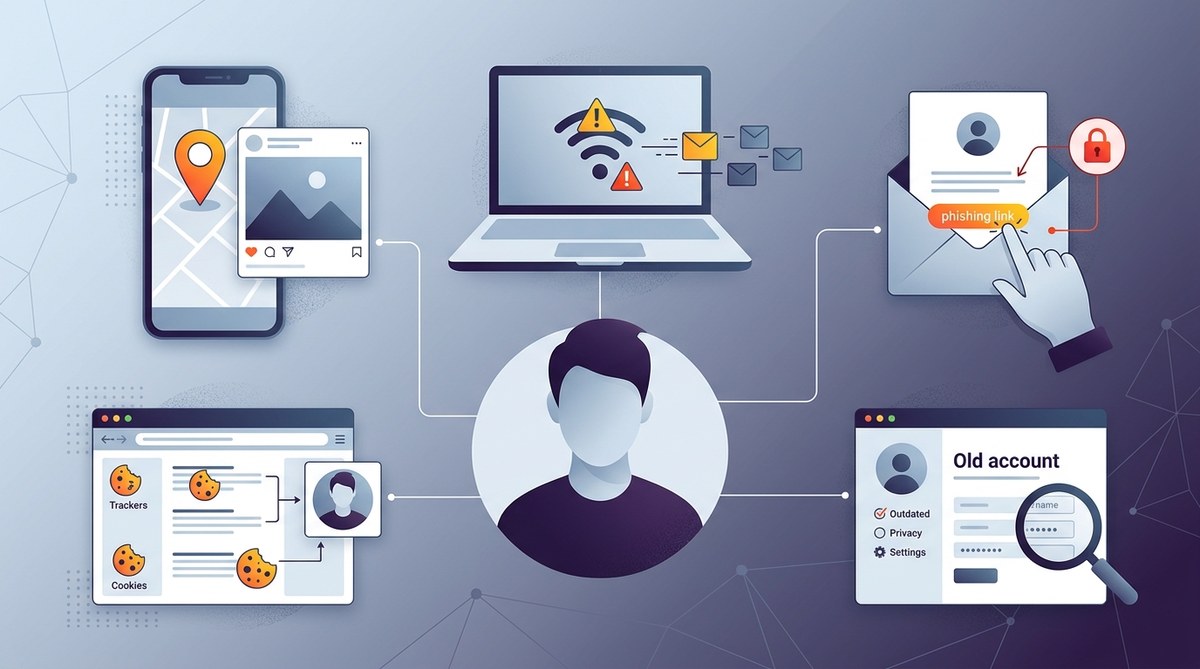
You log into a website, and suddenly your personal details are floating around on the internet. It might feel like your privacy is under attack every time you click, share, or even browse. Many people unknowingly expose their identities through simple online habits that seem harmless. Recognizing these common privacy mistakes is the first step toward safeguarding your digital life. Protecting personal information requires awareness and proactive measures. Let’s look at how you might be exposing your privacy and how to fix these issues.
Avoid sharing too much personal data online, use privacy tools wisely, and be cautious about security settings. Small mistakes can lead to big privacy breaches. Take control by understanding common errors and implementing simple solutions to stay safe.
Understanding privacy mistakes online that can expose your identity
Many privacy breaches happen because of habits that seem minor at first. For example, sharing your location on social media or using weak passwords. These small errors can turn into serious risks if not addressed. Knowing what to watch out for helps you develop better online hygiene and protect your personal details more effectively.
Common privacy mistakes online and practical ways to prevent them
1. Oversharing on social media
Sharing every detail of your life on social media platforms is a surefire way to leak personal information. When you post your birthday, home address, travel plans or daily routines, you give hackers and marketers valuable clues about your life. They can use this data for identity theft, targeted scams, or tracking your real-time location.
How to avoid oversharing:
– Limit the information you share publicly.
– Use privacy settings to restrict who can see your posts.
– Think twice before posting details like your address, phone number, or travel dates.
– Avoid posting real-time updates that reveal your whereabouts.
2. Using weak or reused passwords
Passwords are the front line of your online security. Reusing passwords across multiple accounts or choosing simple, guessable passwords leaves you vulnerable. Hackers can easily crack weak passwords or use leaked databases to access your accounts.
How to improve password security:
– Create strong, unique passwords for each service.
– Use a password manager to keep track of complex passwords.
– Enable two-factor authentication whenever possible.
– Regularly update your passwords to minimize risk.
3. Ignoring privacy settings and permissions
Many apps and websites request access to your location, contacts, camera, or microphone without a clear need. Ignoring or blindly accepting these permissions can give third parties access to sensitive data.
How to manage permissions:
– Review app permissions before installation.
– Disable unnecessary access in your device settings.
– Revoke permissions for apps you no longer use.
– Keep your software updated to ensure security patches are applied.
4. Connecting to untrusted networks without protection
Public Wi-Fi networks are tempting but risky. Hackers often set up fake networks to intercept your data, capturing usernames, passwords, and even financial details.
How to protect yourself on public Wi-Fi:
– Use a reputable VPN when connecting to public networks.
– Avoid logging into sensitive accounts on unsecured networks.
– Turn off sharing features and file sharing while on public Wi-Fi.
– Wait until you’re on a trusted network before doing private transactions.
5. Failing to use encryption tools properly
Encryption is vital for keeping your online communications private. Not using VPNs or proxies correctly can leave your data exposed. For example, browsing on insecure websites or not verifying a VPN’s security policies can be risky.
How to use encryption responsibly:
– Always connect to HTTPS websites.
– Use a trusted VPN service with a no-logs policy.
– Configure your VPN or proxy settings properly, avoiding free or unverified services.
– Regularly test your VPN connection for leaks to ensure your IP address and data remain protected.
| Technique / Mistake | What It Causes | How to Fix or Avoid |
|---|---|---|
| Sharing personal details publicly | Identity theft, stalking | Limit what you share, adjust privacy settings |
| Reusing weak passwords | Account hacking | Use password managers, enable 2FA |
| Ignoring app permissions | Data leaks | Review permissions, revoke unnecessary access |
| Using unsecured Wi-Fi | Data interception | Use VPNs, avoid sensitive transactions on public Wi-Fi |
| Not verifying encryption | Data exposure | Browse HTTPS sites, choose reputable VPNs |
“The smallest oversight in privacy can lead to significant consequences. Always question what data you’re sharing and who might be seeing it.” — Privacy expert Jane Doe
Practical steps to avoid privacy mistakes online
To stay clear of exposing your identity, follow these simple but effective steps:
- Regularly review and update privacy settings on social media and online accounts.
- Never share your home address, travel plans, or financial info publicly.
- Use a reputable password manager and create strong, unique passwords.
- Enable two-factor authentication on all critical accounts.
- Connect to the internet via a trusted VPN, especially when on public Wi-Fi.
- Verify that your VPN or proxy is active and leak-proof through testing tools.
- Be cautious about app permissions; only grant access that is necessary.
- Keep your device software updated to patch security vulnerabilities.
- Avoid clicking on suspicious links or downloading unverified files.
- Educate yourself about common scams and privacy dark patterns.
How to choose the right privacy tools
Using a VPN or proxy can significantly boost your privacy. Look for services with transparent logging policies, strong encryption standards, and reliable leak protection. Before choosing, consider whether you need a residential proxy for better disguise or a datacenter proxy for speed. Read reviews and check industry reputation.
Staying alert to evolving online threats
Online privacy is a continuous effort. As technology advances, so do the tactics of those seeking to compromise your data. Regularly testing your privacy setup and staying informed about new scams is essential. Use tools like leak testers and privacy checkers to ensure your information remains secure.
A safer online experience starts with awareness
Making small adjustments in your online habits can drastically reduce the chance of exposing your identity. Think critically about what data you share and who has access to it. Employ privacy tools responsibly, and stay vigilant against common mistakes.
Protect your privacy by staying proactive and informed
Taking control of your online privacy isn’t about perfection. It’s about making smarter choices every day. Implement simple security measures, question what you share, and trust reputable tools. Your digital footprint is valuable, so treat it with care. Starting with awareness is the best way to keep your personal information safe in a world full of risks.