 By carl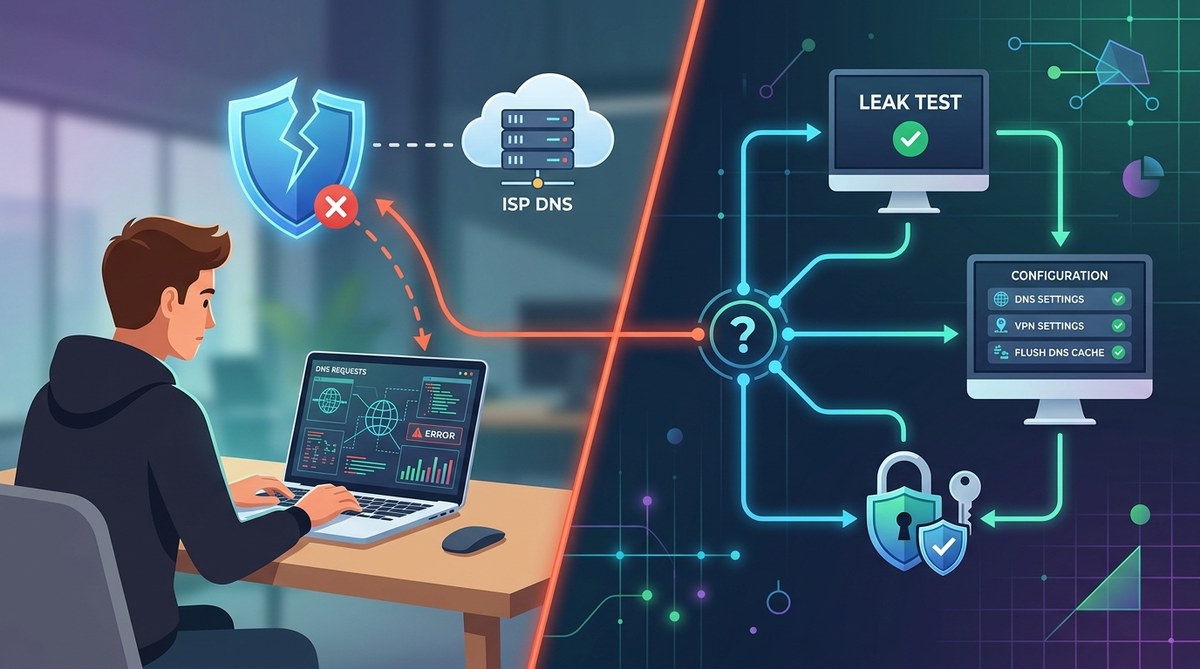
When you rely on a VPN to shield your online activities, DNS leaks can silently expose your browsing history and real location. Even the best VPNs might sometimes leak DNS requests, defeating the purpose of your privacy setup. Understanding how to troubleshoot DNS leaks VPN is essential to ensure your data stays protected. This guide walks you through practical steps, testing methods, and fixes to keep your privacy secure.
Troubleshooting DNS leaks VPN involves testing your connection, adjusting configurations, and choosing reputable providers. Regular checks ensure your privacy remains intact and your browsing stays anonymous.
Why DNS leaks matter for VPN users
Many users assume that connecting to a VPN automatically secures all aspects of their online activity. However, DNS leaks can reveal your true IP address and browsing data, even when a VPN is active. This happens when your device sends DNS requests outside the encrypted tunnel, exposing which websites you visit and your location.
A DNS leak compromises your privacy by allowing third parties like ISPs, governments, or hackers to track your online movements. For privacy-conscious individuals, preventing DNS leaks is non-negotiable. Knowing how to troubleshoot these leaks ensures your VPN functions as intended and your data stays private.
Recognizing signs of DNS leaks
Before troubleshooting, you need to identify if a DNS leak exists. Signs include:
- Your real IP address appears in online leak test results.
- Websites or services detect your actual location despite VPN connection.
- Unexpected DNS requests are visible in network logs.
Performing a DNS leak test is simple and vital. Use trusted online tools like dnsleaktest.com or ipleak.net to verify if your DNS requests are routed through your VPN provider. If your real DNS servers show up, a leak is likely.
Steps to troubleshoot DNS leaks VPN effectively
1. Test your connection for leaks
Start by confirming if a leak exists. Use reliable online tools to perform DNS leak tests. Run multiple tests with your VPN both enabled and disabled. Record the results to compare. If your actual DNS servers appear during VPN connection, proceed with fixes.
2. Adjust your VPN settings and configurations
Many leaks stem from improper setup or default settings. Here are key adjustments:
- Enable the VPN’s kill switch. This feature cuts internet traffic if the VPN disconnects, preventing leaks. Check your VPN’s settings or consult its support guide.
- Switch to a DNS server provided by your VPN. Set your device’s DNS manually to your VPN’s DNS servers to ensure all requests go through the encrypted tunnel.
- Disable IPv6. IPv6 traffic can bypass VPN encryption. Turn off IPv6 on your device or configure your VPN to handle IPv6 traffic properly.
- Use DNS leak protection features. Many VPNs include built-in DNS leak prevention. Make sure these are activated.
3. Manually configure DNS servers
If your VPN lacks DNS leak protection, you can manually set DNS servers. For example, use Google’s DNS (8.8.8.8 and 8.8.4.4) or Cloudflare’s (1.1.1.1). On Windows, adjust network adapter settings; on macOS, update network preferences. This step helps enforce DNS queries through trusted servers.
4. Update your VPN client and network drivers
Outdated software can cause leaks. Keep your VPN app, operating system, and network drivers updated. Developers often release patches that fix vulnerabilities related to DNS leaks.
5. Use a firewall to block DNS requests outside VPN
Advanced users can set up firewall rules to block DNS requests that do not go through the VPN. This ensures all DNS traffic is routed securely, eliminating leaks caused by misconfigured network settings.
6. Consider switching VPN providers
Not all VPNs handle DNS leaks equally. If persistent leaks occur despite attempts, it might be time to switch to a provider with robust leak protection. Look for reviews and features like DNS leak prevention and a kill switch.
Common mistakes that cause DNS leaks and how to avoid them
| Mistake | How it causes leaks | How to prevent it |
|---|---|---|
| Using free or unreliable VPNs | They often lack proper leak protection | Choose reputable VPN providers with proven leak prevention |
| Not disabling IPv6 | IPv6 traffic bypasses VPN tunnel | Turn off IPv6 or configure VPN to handle IPv6 |
| Relying solely on VPN’s default settings | Default configurations may lack leak protection | Manually set DNS servers and enable leak prevention features |
| Failing to test regularly | Unnoticed leaks persist | Schedule periodic leak tests using trusted tools |
| Using outdated software | Bugs reintroduce leaks | Keep all apps and drivers current |
Expert tip: Regular testing is key. Even the best VPNs can leak over time due to updates or misconfigurations. Make DNS leak tests part of your routine, especially after updates or network changes.
Detecting and fixing DNS leaks with practical tools
- Use leak testing websites to verify your setup.
- Configure your device’s network settings to specify trusted DNS servers.
- Disable IPv6 if your VPN does not support it.
- Enable built-in leak protection in your VPN app.
- Switch to a different VPN provider if leaks persist despite fixes.
Additional techniques to prevent DNS leaks
| Technique | Benefits | Common mistakes |
|---|---|---|
| Use a VPN with built-in leak protection | Easy, effective | Ignoring settings or features |
| Set DNS servers manually | Greater control | Misconfiguration or not updating servers |
| Disable IPv6 | Stops leaks via IPv6 | Forgetting to re-enable after troubleshooting |
| Use a firewall | Blocks unencrypted DNS requests | Complex setup for beginners |
| Switch to router-level VPN | Protects all devices | Incorrect configuration or limited support |
Final thoughts on staying private
Keeping your DNS requests under wraps requires vigilance and proper setup. Regularly testing your connection for leaks reveals vulnerabilities before they compromise your privacy. Adjusting your network settings, choosing the right VPN, and enabling built-in protections form a solid defense. Remember that online privacy is an ongoing process, not a one-time fix.
By following these steps and staying proactive, you can ensure your VPN performs as expected. Your online activities stay private, and your digital footprint remains protected. Take control of your privacy today and make DNS leak troubleshooting a routine part of your digital security practice.