 By carl
You trust your VPN to protect your privacy. But what if the very service you’re using to hide your online activity is watching everything you do? The uncomfortable truth is that your VPN provider sits in a unique position of power. They can see data that even your internet service provider can’t access. Understanding what your VPN provider knows about you isn’t paranoia. It’s basic digital hygiene.
Your VPN provider can technically see everything your ISP would see: browsing history, connection times, bandwidth usage, and your real IP address. What they actually log depends on their policy and jurisdiction. No-log claims require verification through audits, court cases, or transparency reports. Free VPNs almost always log and monetize your data, while paid services vary widely in their actual privacy practices.
What your VPN provider can technically see
Let’s start with the technical reality. When you connect to a VPN, you’re creating an encrypted tunnel between your device and the VPN server. Your ISP can see that you’re connected to a VPN, but they can’t see what you’re doing inside that tunnel.
Your VPN provider, however, sits at the other end of that tunnel. They decrypt your traffic to send it to its final destination. This means they have access to:
- Your real IP address and physical location
- Connection timestamps (when you connect and disconnect)
- The amount of data you transfer
- Which websites you visit and when
- Your DNS requests (every domain you look up)
- The protocols and ports you use
- Your device type and operating system
This is the same information your ISP normally sees. You’ve simply shifted trust from your ISP to your VPN provider.
The difference between what a provider can see and what they actually log is everything. A VPN company might have the technical ability to monitor your traffic but choose not to record it. Or they might claim to protect your privacy while secretly logging everything.
The three types of VPN logging
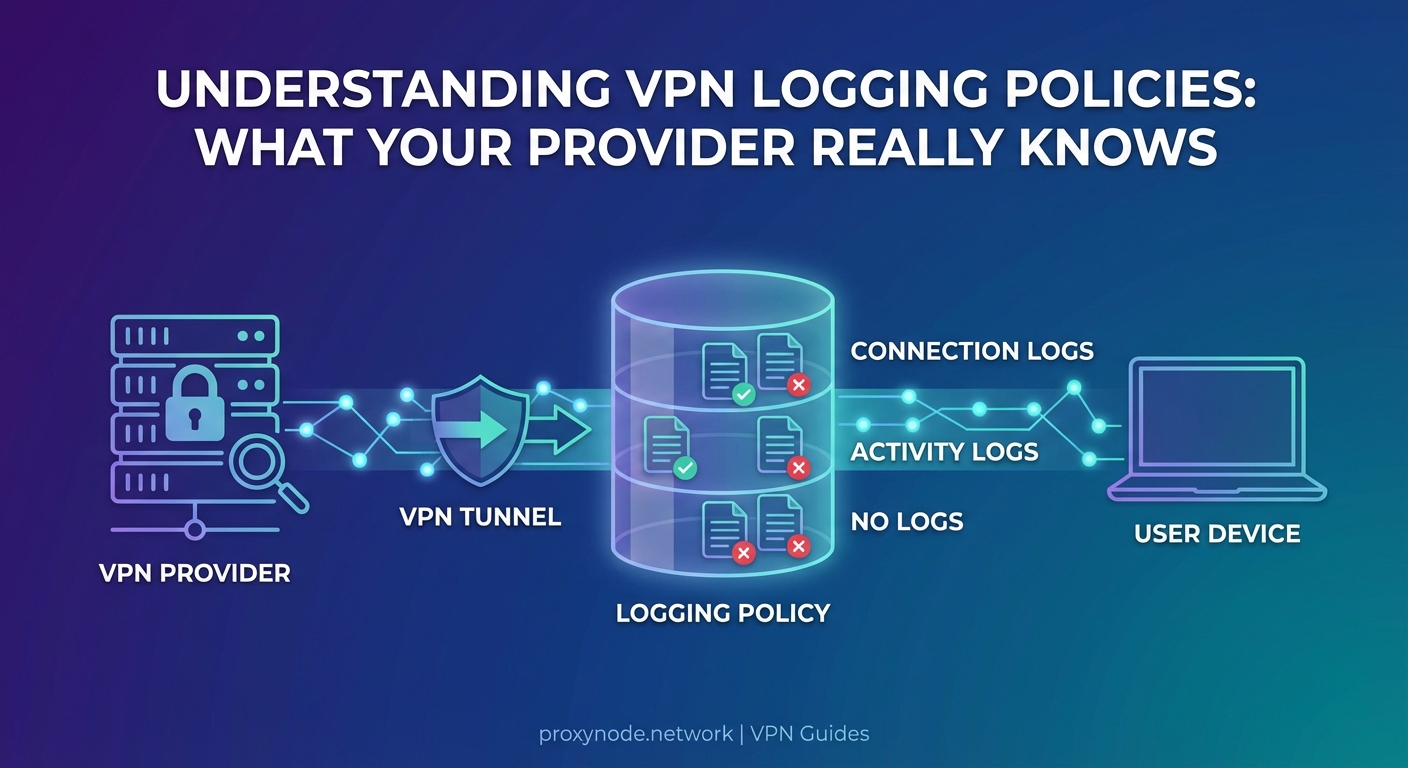
VPN providers categorize their logging practices differently, but the data they collect falls into three main buckets.
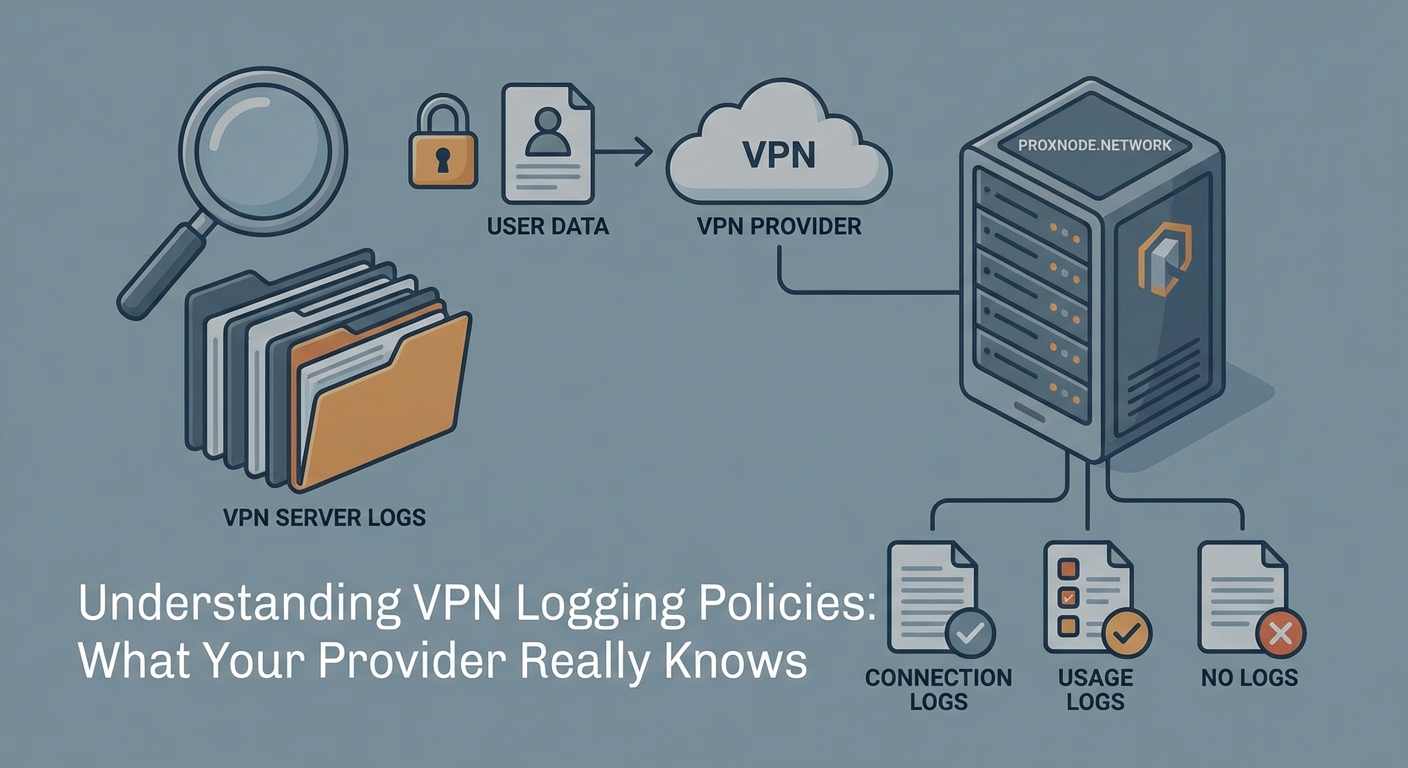
Connection logs track when you connect, how long you stay connected, and how much bandwidth you use. Most VPN providers keep some form of connection logs for troubleshooting and network management. These logs typically include timestamps, server locations, and data transfer amounts. They usually don’t reveal what websites you visited, but they can show patterns of use.
Activity logs record your actual browsing behavior. This includes the websites you visit, files you download, and services you access. Activity logs are the most invasive type. Any VPN provider keeping detailed activity logs defeats the entire purpose of using a VPN for privacy.
No logs means the provider claims to keep neither connection nor activity logs. But “no logs” is rarely absolute. Most providers keep minimal temporary data in RAM that gets wiped when you disconnect. Some keep aggregated statistics that can’t be tied back to individual users.
The problem is that marketing claims and actual practice don’t always align. Providers have been caught lying about their logging policies before.
How to verify what your VPN actually logs
Reading a privacy policy isn’t enough. VPN companies know that most users won’t understand the technical language or legal loopholes buried in those documents.
Here’s how to actually verify logging claims:
-
Look for independent third-party audits from reputable security firms like Cure53, Deloitte, or PricewaterhouseCoopers. These audits should be recent (within the last year) and publicly available.
-
Research the company’s jurisdiction and legal history. Has the provider ever been subpoenaed? What did they turn over to authorities? If they claimed to have no logs but somehow produced user data, that’s a red flag.
-
Check transparency reports. Legitimate providers publish regular reports detailing government requests, DMCA notices, and what information (if any) they provided.
-
Test for DNS leaks and other privacy failures. If your VPN is leaking data, it doesn’t matter what they claim to log.
The absence of evidence isn’t evidence of privacy. If a VPN provider hasn’t been audited, hasn’t faced legal challenges, and doesn’t publish transparency reports, you’re taking their word on faith.
A VPN provider’s promises mean nothing without verification. Trust the audit, not the advertisement.
What free VPN providers know (and sell)
Free VPNs operate on a simple principle: if you’re not paying for the product, you are the product. These services need to make money somehow, and that almost always means logging and monetizing your data.
Research has repeatedly shown that free VPN apps collect extensive user data. Common practices include:
- Injecting tracking cookies and advertisements into your browsing sessions
- Selling bandwidth (turning your device into an exit node for other users)
- Logging and selling browsing history to data brokers
- Installing additional software or browser extensions that track you even when the VPN is off
Many free VPNs are owned by Chinese companies or operate under opaque corporate structures. Some have been caught containing malware. Others have leaked user data through security vulnerabilities.
The risks of free proxies apply equally to free VPNs. You’re handing your entire internet connection to a company with no transparent business model and no accountability.
If you’re serious about privacy, paying for a premium service is non-negotiable. Even then, you need to choose carefully.
Payment information and account metadata
Your VPN provider knows how you paid. If you used a credit card, they have your real name, billing address, and payment history. This information can be subpoenaed even if the provider doesn’t log your browsing activity.
Privacy-focused users pay with cryptocurrency, prepaid cards, or cash. Some providers accept anonymous payment methods specifically to protect user privacy. But even with anonymous payment, other metadata can identify you:
- Email addresses used for account registration
- Username patterns that match other services
- IP addresses used to access the VPN website or account portal
- Browser fingerprints and device characteristics
Creating a truly anonymous VPN account requires using a burner email, paying with cryptocurrency through a mixing service, and accessing the VPN website through Tor. Most people don’t go that far, which means their VPN account can be linked to their real identity through payment or account data.
Jurisdiction matters more than you think
Where your VPN provider is legally incorporated determines what data they can be forced to collect and hand over. Countries have different data retention laws, surveillance requirements, and international cooperation agreements.
The Five Eyes alliance (United States, United Kingdom, Canada, Australia, New Zealand) shares intelligence freely. VPN providers in these countries can be compelled to log user data through national security letters or gag orders. The Nine Eyes adds Denmark, France, Netherlands, and Norway. The Fourteen Eyes includes Germany, Belgium, Italy, Spain, and Sweden.
Providers in these jurisdictions face pressure to cooperate with government surveillance. Some have been forced to implement logging without being allowed to tell their users.
Privacy-friendly jurisdictions include Switzerland, Iceland, and Panama. These countries have stronger privacy laws and less cooperation with international surveillance networks. But jurisdiction alone doesn’t guarantee privacy. A Swiss VPN provider can still choose to log everything.
| Jurisdiction Type | Privacy Risk | Common Logging Pressure | Best Use Case |
|---|---|---|---|
| Five Eyes | High | National security requests, court orders | Avoid for sensitive activities |
| Fourteen Eyes | Medium-High | Data sharing agreements, legal requests | Use with verified no-log providers only |
| Privacy havens | Low-Medium | Minimal, but not immune | Better for privacy-focused users |
| Offshore/unclear | Variable | Unknown, potentially very high | Avoid entirely |
Technical leaks that expose you regardless of logging
Even if your VPN provider keeps zero logs, technical failures can expose your identity and activity. These leaks happen at the protocol level, outside the provider’s direct logging practices.
DNS leaks occur when your device sends domain name lookups outside the VPN tunnel. Your ISP or DNS provider sees every website you visit, even while connected to the VPN. Most operating systems have DNS handling quirks that can cause leaks.
WebRTC leaks expose your real IP address through browser features designed for video chat. Websites can use JavaScript to query your WebRTC interface and see your actual IP, completely bypassing the VPN.
IPv6 leaks happen when your VPN only routes IPv4 traffic. If a website supports IPv6, your device might connect directly using your real IPv6 address. Many VPN providers still don’t properly handle IPv6.
These leaks mean that third parties can track you even if your VPN provider isn’t logging. Testing if your VPN is actually working should be a regular practice, not a one-time setup task.
What happens during VPN disconnections
Your VPN connection isn’t always stable. Networks change, servers restart, and connections drop. What happens to your traffic during those moments?
Without a kill switch, your device immediately reverts to your normal internet connection. Those few seconds of unprotected traffic can leak your real IP address, reveal your location, and expose your browsing activity to your ISP.
Understanding privacy gaps during disconnections is critical. Even providers with perfect logging policies can’t protect you if your traffic leaks during connection failures.
A reliable kill switch blocks all internet traffic when the VPN disconnects. But not all kill switches work correctly. Some only block traffic at the application level, allowing system-level connections to leak. Others fail to activate during certain types of network changes.
Testing your kill switch means deliberately disconnecting your VPN while monitoring your network traffic. If you see any non-VPN traffic escape, your kill switch isn’t working properly.
The metadata problem
Even without logging your browsing history, VPN providers collect metadata that can reveal surprising amounts about you. Connection patterns alone tell a story.
If you connect every weekday at 9 AM and disconnect at 5 PM, that suggests employment hours. If you connect from the same IP address for weeks, then suddenly from a different city, that suggests travel. If your bandwidth usage spikes during major sporting events, that reveals interests.
Sophisticated analysis of connection metadata can identify individuals, link accounts, and infer activities without ever knowing which specific websites you visited. Intelligence agencies and data brokers specialize in this type of analysis.
Truly privacy-conscious VPN providers minimize metadata collection. They use RAM-only servers that wipe all data on reboot. They avoid assigning static IP addresses that could link sessions. They aggregate statistics in ways that prevent individual identification.
But many providers collect far more metadata than necessary for legitimate business purposes. Reading the privacy policy carefully reveals what metadata they keep and for how long.
Common VPN privacy mistakes
Choosing a good VPN provider is only half the battle. User behavior often undermines privacy protections.
Logging into personal accounts while connected to a VPN links your VPN activity to your real identity. If you check your Gmail, Facebook, or bank account through the VPN, those companies know it’s you regardless of your IP address.
Using the same VPN server repeatedly creates patterns. Rotating between different servers and locations makes traffic analysis harder.
Ignoring browser fingerprinting means websites can track you even with a VPN. Your browser configuration, installed fonts, screen resolution, and dozens of other factors create a unique fingerprint. VPNs don’t protect against fingerprinting.
Mixing VPN and non-VPN traffic on the same device creates correlation opportunities. If you browse normally, then connect to a VPN, then browse again, timing analysis can link the sessions.
These common VPN mistakes defeat privacy protections even when using a trustworthy provider with a genuine no-log policy.
Reading between the lines of privacy policies
VPN privacy policies are written by lawyers to provide maximum legal protection for the company. Understanding what they actually mean requires translation.
“We don’t log your browsing activity” might sound reassuring, but check if they log connection times, IP addresses, and server usage. Those connection logs can still identify you.
“We only keep logs for 24 hours” means they’re logging everything for a full day. That’s plenty of time for a subpoena or hack to expose your data.
“We may collect information to improve our service” is a catch-all phrase that could justify almost any logging practice.
“We comply with all legal requests” means they’ll hand over whatever data they have when authorities ask. If they’re logging, they’re sharing.
Look for specific, technical language about what data is collected, how long it’s retained, and under what circumstances it’s shared. Vague marketing language is a warning sign.
What VPN providers actually do with your data
Legitimate VPN providers use minimal data collection for specific purposes. Understanding these purposes helps you evaluate whether the logging is justified.
Network optimization requires knowing which servers are overloaded and where users are connecting from. Aggregated, anonymized statistics serve this purpose without identifying individuals.
Abuse prevention needs some logging to stop spam, DDoS attacks, and illegal content. Time-limited connection logs help identify and ban abusive users without revealing browsing history.
Billing and support require linking payments to accounts and troubleshooting connection issues. This metadata should be isolated from browsing activity.
Legal compliance forces providers in some jurisdictions to retain certain data. Understanding local laws helps predict what a provider might be required to log.
Providers that collect more data than these purposes require are either incompetent or dishonest. Neither deserves your trust.
Trust is the real vulnerability
The fundamental problem with VPN privacy is that it requires trust. You’re shifting your privacy dependency from your ISP to your VPN provider. You have to trust that they’re telling the truth about their logging practices, that their security is solid, that their jurisdiction won’t force them to spy on you, and that they won’t change their policies or get acquired by a less scrupulous company.
No amount of auditing eliminates this trust requirement completely. Audits are snapshots in time. A provider could pass an audit in January and start logging in February. Legal situations change. Companies get sold.
The best approach is informed skepticism. Use VPN providers with strong track records, verified through multiple sources over time. Combine VPN use with other privacy tools. Don’t rely on any single service for complete privacy.
Understanding when a proxy beats a VPN helps you choose the right tool for each situation. Not every online activity requires the same level of privacy protection.
Making an informed choice about VPN privacy
Choosing a VPN provider based on actual privacy practices rather than marketing claims requires research. Start with providers that have been independently audited within the last year. Check their jurisdiction and legal history. Look for transparency reports and evidence of how they’ve handled government requests.
Test the service thoroughly before trusting it with sensitive activities. Verify that your VPN isn’t leaking your real IP address or DNS requests. Check that the kill switch actually works. Monitor your connection for unexpected behavior.
Remember that your VPN provider knows at minimum your real IP address, connection times, and the VPN server you’re using. They can technically see everything else. Whether they actually log that data, how long they keep it, and who they share it with depends entirely on their policies and practices.
Privacy isn’t binary. It’s a spectrum of risk and trust. Understanding what your VPN provider knows about you helps you make informed decisions about which provider to use, how to configure it properly, and what activities to protect with additional tools. Your privacy is too important to leave to marketing promises and blind trust.