 By carl
You connect to a VPN, assuming you’re now invisible to your internet service provider. But the reality is more nuanced than that.
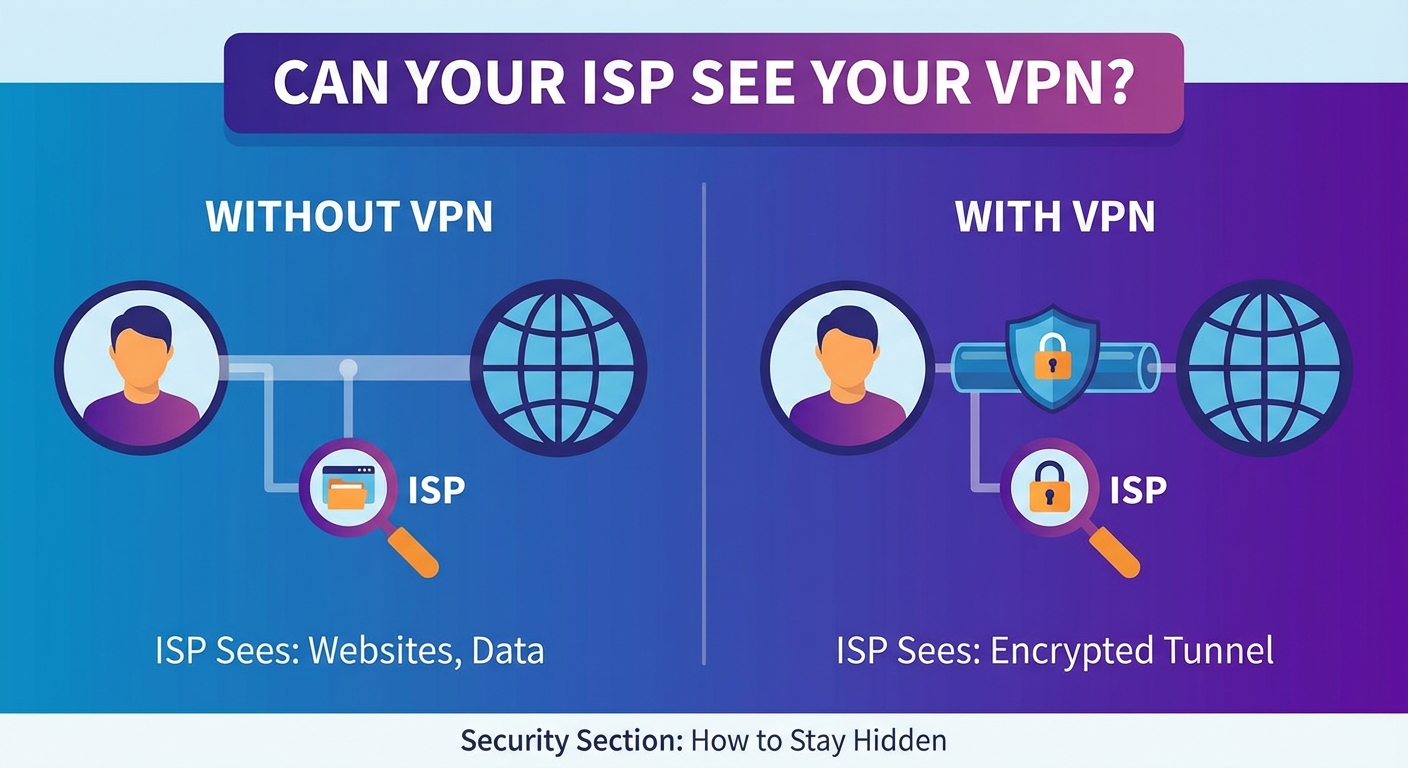
Your ISP can absolutely tell you’re using a VPN. They can see encrypted traffic flowing between your device and a VPN server. What they can’t see is the actual content of that traffic or which websites you’re visiting. Think of it like watching someone mail a locked box. You know they’re sending something, but you have no idea what’s inside.
Your ISP can detect that you’re connected to a VPN by observing encrypted traffic patterns and VPN server IP addresses. However, they cannot see which websites you visit, what you download, or any content within that encrypted tunnel. A VPN transforms your browsing data into unreadable code, protecting your actual online activities while the fact of VPN usage itself remains visible to your provider.
What Your ISP Sees Without a VPN
Before understanding VPN limitations, you need to know what’s at stake without one.
Your ISP has a front-row seat to your entire online life when you browse unprotected. They see every website you visit, down to the specific page. If you’re reading an article about health conditions at 2 AM, they know. If you’re browsing job sites while supposedly working from home, they know that too.
They can see what you’re downloading and uploading. Streaming a movie? They know which service and can estimate which title based on file size. Downloading large files? They see the size and frequency.
Your search queries pass through their servers in plain text. Every question you type into a search engine, every product you look up, every concern you research becomes part of their data collection.
Even your app usage is visible. When apps communicate with their servers, your ISP sees those connections. They know when you’re using messaging apps, social media platforms, or any service that sends data over the internet.
The timestamps of all this activity get logged too. They can build a detailed profile of your daily patterns, sleep schedule, and habits.
How a VPN Changes the Picture
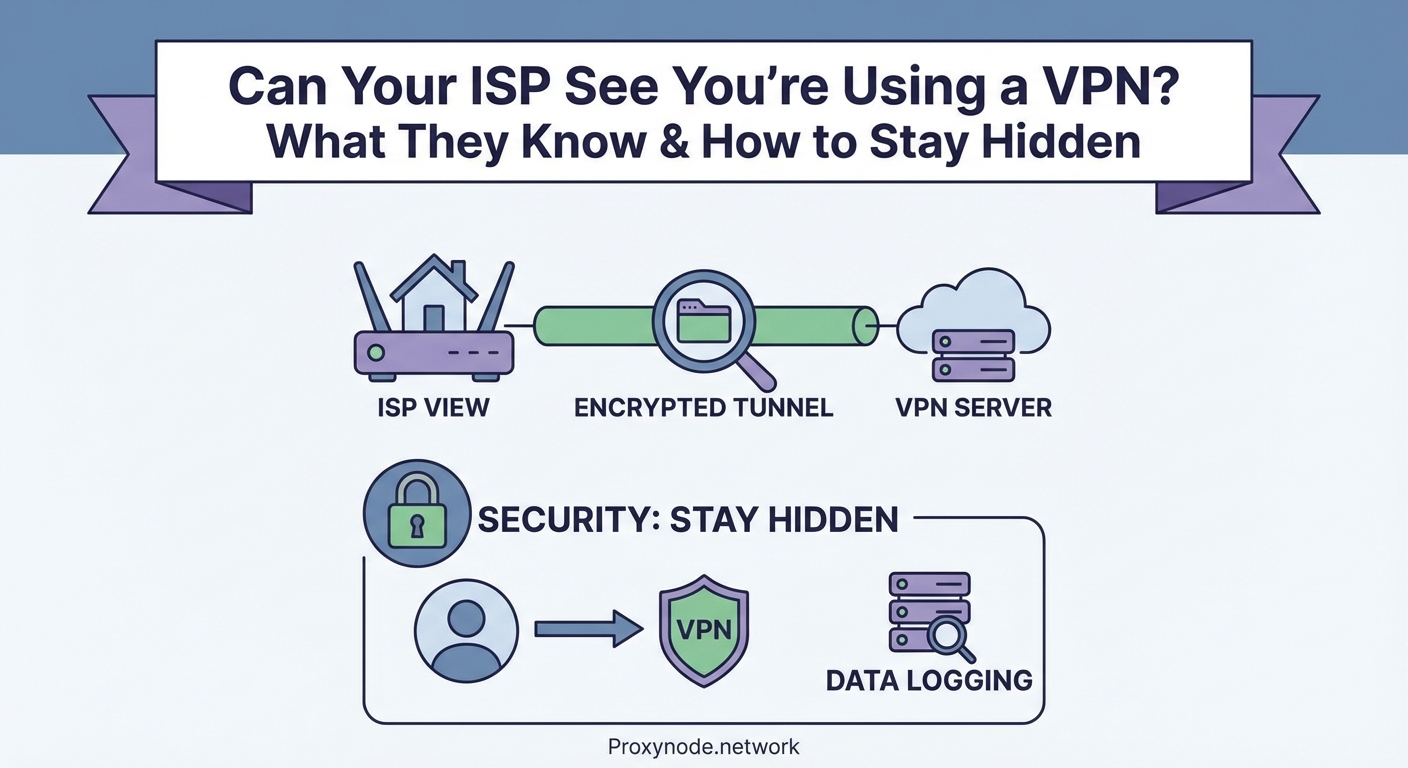
A VPN creates an encrypted tunnel between your device and a VPN server.
When you connect, your ISP sees data leaving your device, but that data is scrambled. Instead of seeing “user visited news site, then shopping site, then streaming service,” they see “user sent encrypted data to VPN server.”
The destination of your actual browsing gets hidden behind the VPN server’s IP address. Your ISP knows you’re talking to a VPN server in another city or country, but they have no visibility into where that server sends your requests afterward.
Your DNS queries get encrypted too. Normally, when you type a website name, your device asks a DNS server to translate that name into an IP address. Your ISP typically handles these requests and can log every site you want to visit. A VPN routes these queries through the encrypted tunnel, keeping them private.
The content of your traffic becomes unreadable. Whether you’re sending an email, watching a video, or downloading a file, your ISP sees only encrypted packets of data with no way to decode them.
What Your ISP Can Still Detect
Here’s where people get tripped up. VPN usage itself leaves fingerprints.
Your ISP can identify VPN traffic through several methods. The IP address you’re connecting to often belongs to a known VPN provider. These addresses get cataloged in databases that ISPs can reference.
The ports you’re using can signal VPN activity. Common VPN protocols operate on specific ports. OpenVPN typically uses port 1194. WireGuard uses 51820. While these ports can be changed, default configurations make detection easier.
Connection patterns reveal VPN use. The steady stream of encrypted data flowing to a single server looks different from normal browsing, which involves connecting to multiple servers with varying traffic patterns.
Deep packet inspection can identify VPN protocols. ISPs with sophisticated monitoring tools can analyze the structure of your encrypted packets and recognize protocol signatures. Even though they can’t read the content, they can identify the encryption method.
The amount of data you’re transferring remains visible. If you’re streaming high-definition video, your ISP sees large data transfers even if they don’t know you’re watching a specific show. This matters in areas with data caps or throttling policies.
| What ISPs See | What They Can’t See |
|---|---|
| VPN server IP address | Websites you visit |
| Amount of data transferred | Content you view or download |
| Connection timestamps | Your search queries |
| VPN protocol being used | Your actual IP requests |
| Traffic patterns and duration | Messages you send |
Why ISPs Care About VPN Detection
Most ISPs don’t actively block VPN usage in countries where it’s legal.
They care about network management. During peak hours, some ISPs throttle bandwidth for streaming services or file sharing. If they can’t see what you’re doing through a VPN, they might throttle all your traffic or none of it.
Data caps create another concern. ISPs want to know if you’re streaming video versus browsing text. VPNs make this traffic classification impossible, which complicates their bandwidth management strategies.
In some regions, ISPs face legal requirements to log user activity or block certain content. VPNs interfere with these mandates, putting providers in an awkward position with regulators.
Business relationships matter too. Some ISPs have deals with streaming services or content providers. When users bypass geographic restrictions with VPNs, it can create tension in these partnerships.
Techniques ISPs Use to Identify VPN Traffic
Port blocking targets common VPN ports. If an ISP blocks port 1194, OpenVPN connections using default settings will fail. This crude method affects legitimate services too, so it’s less common than other approaches.
IP address blocking involves maintaining lists of known VPN server addresses. When you try to connect to a blocked IP, the connection gets rejected. VPN providers counter this by constantly adding new servers.
Deep packet inspection examines the structure of data packets. Even encrypted packets have headers and patterns that can identify the protocol. An ISP might not know you’re watching a specific video, but they can tell you’re using OpenVPN or WireGuard.
Traffic analysis looks at connection behavior. Machine learning algorithms can identify VPN usage based on packet timing, size distributions, and flow characteristics. This method works even when other obfuscation techniques are in place.
DNS leaks expose VPN users who haven’t configured their connection properly. If your device sends DNS queries outside the VPN tunnel, your ISP sees which sites you’re trying to reach despite the VPN connection.
How to Minimize VPN Detection
Obfuscation features disguise VPN traffic as regular HTTPS traffic. Some VPN providers offer servers specifically designed to bypass detection. The encrypted data gets wrapped in an additional layer that makes it look like standard web browsing.
Switching protocols can help. If your ISP blocks OpenVPN, try WireGuard or IKEv2. Some protocols are harder to detect than others.
Using non-standard ports makes your traffic less obvious. Instead of port 1194, configure your VPN to use port 443, which is standard for HTTPS traffic. This makes your VPN traffic blend in with regular encrypted web browsing.
Choosing the right server location matters. Connecting to a nearby server reduces latency and creates traffic patterns that look more like normal usage. Constantly connecting to servers on the other side of the world can draw attention.
A properly configured VPN with obfuscation enabled and non-standard ports provides the strongest protection against ISP detection. But remember, even the best setup can’t make you completely invisible to your provider. The goal is privacy for your activities, not invisibility of the VPN itself.
Common Mistakes That Expose Your VPN Use
- Using free VPN services that don’t encrypt traffic properly or leak your DNS requests
- Forgetting to enable the kill switch feature, which exposes your real IP if the VPN disconnects
- Running the VPN on your computer but not your phone, creating gaps in your privacy
- Ignoring WebRTC leaks in your browser that can reveal your actual IP address
- Using the same DNS servers as your ISP instead of your VPN provider’s DNS
Does VPN Detection Actually Matter?
For most users in most countries, ISP detection of VPN usage carries no consequences.
Your ISP knowing you use a VPN doesn’t mean they can see what you’re doing. The encryption still protects your actual browsing activity. They see the locked box being mailed, not the contents.
Legal use of VPNs is protected in most democratic countries. Your ISP can’t terminate your service simply because you value privacy. They need actual terms of service violations.
The real question is whether your ISP acts on VPN detection. In practice, most don’t. They continue providing service as normal. Some might throttle your connection, but this often affects all heavy users, not just VPN users.
In restrictive countries, VPN detection carries more risk. Governments that ban VPNs pressure ISPs to block them. This is where obfuscation becomes critical rather than optional.
Alternative Privacy Tools
Tor provides stronger anonymity than VPNs but with significant speed tradeoffs. Your traffic bounces through multiple volunteer-run servers, making it extremely difficult to trace. However, browsing becomes noticeably slower.
Proxy servers hide your IP address like VPNs but typically don’t encrypt your traffic. Your ISP can still see what you’re doing, just not your destination IP. They’re useful for bypassing simple geographic restrictions but offer minimal privacy protection.
Encrypted DNS services like DNS-over-HTTPS protect your DNS queries even without a VPN. Your ISP won’t see which websites you’re looking up, though they’ll still see the IP addresses you connect to afterward.
Combining tools provides layered protection. Using encrypted DNS with a VPN gives you redundancy. If one protection fails, the other remains active.
What This Means for Your Privacy
Your ISP knowing you use a VPN is like your neighbor seeing you close your curtains. They know you want privacy, but they can’t see what you’re doing inside.
The important part is that your browsing activity, downloads, and online behavior remain hidden. Your ISP can’t sell detailed profiles of your web habits to advertisers. They can’t throttle specific services they can’t identify. They can’t hand over your search history to third parties.
VPN detection doesn’t undermine the core purpose of VPN usage. You’re still protected from the invasive data collection that happens without encryption.
Choosing a VPN That Prioritizes Privacy
Look for providers with a verified no-logs policy. Independent audits confirm they’re not storing your browsing history or connection data. If your VPN provider doesn’t keep logs, there’s nothing to hand over even if authorities request it.
Strong encryption protocols matter. AES-256 encryption is the current standard. Anything less leaves you vulnerable to sophisticated attacks.
Server ownership affects privacy. Providers that own their physical servers have better security than those renting from third parties. Rented servers might have monitoring equipment installed by the data center.
Jurisdiction determines what legal requests a VPN provider must comply with. Providers based in countries with strong privacy laws face fewer mandatory logging requirements.
Kill switch functionality is non-negotiable. If your VPN connection drops, this feature immediately cuts your internet access, preventing your real IP and traffic from leaking to your ISP.
Setting Up Your VPN for Maximum Privacy
Start by enabling the kill switch in your VPN client settings. This single step prevents the most common privacy leak.
Configure your device to use your VPN provider’s DNS servers. Check your VPN app settings for DNS leak protection and enable it. You can verify this is working by visiting a DNS leak test website while connected.
Enable obfuscation if your provider offers it. This feature is sometimes called “stealth mode” or “camouflage mode.” It makes your VPN traffic harder for your ISP to identify.
Test for leaks regularly. WebRTC leaks in browsers can expose your real IP even with an active VPN. Disable WebRTC in your browser settings or use browser extensions designed to prevent these leaks.
Use the VPN on all your devices. Your privacy is only as strong as your weakest link. If your phone isn’t protected, your ISP still sees that portion of your activity.
When ISPs Actively Block VPNs
Some ISPs in restrictive regions actively interfere with VPN connections. They might block known VPN protocols, throttle suspected VPN traffic, or maintain extensive blocklists of VPN server IP addresses.
Obfuscated servers become essential in these situations. They wrap your VPN traffic in layers that make it indistinguishable from regular HTTPS traffic. Your ISP sees what looks like normal web browsing.
Shadowsocks is a tool designed specifically for these scenarios. Originally developed to bypass internet censorship, it creates encrypted connections that are extremely difficult to detect or block.
Switching between multiple VPN providers gives you backup options. If your ISP blocks one provider’s servers, you can switch to another that hasn’t been identified yet.
Understanding the Limits of VPN Privacy
VPNs protect you from your ISP, but they don’t make you anonymous online. Websites can still track you through cookies, browser fingerprinting, and account logins.
Your VPN provider can theoretically see everything your ISP would see. This is why choosing a trustworthy provider with a verified no-logs policy matters so much.
Law enforcement can still investigate VPN users through other means. If you’re logged into accounts, using payment methods tied to your identity, or accessing services that require personal information, those create tracking points outside the VPN’s protection.
VPNs don’t protect against malware or phishing. If you download infected files or enter credentials on fake websites, the VPN won’t stop those threats.
Practical Steps to Verify Your Privacy
Test your connection for leaks using online tools. Check your IP address, DNS servers, and WebRTC status while connected to your VPN. Your real IP and ISP should be completely hidden.
Monitor your ISP’s behavior. If you notice throttling or connection issues only when using your VPN, it might indicate detection and interference.
Review your VPN provider’s transparency reports. Reputable providers publish information about government requests and how they respond. This gives you insight into their actual privacy practices.
Check your VPN’s connection logs in the app. You should see successful connections with no DNS leaks or IP exposure warnings.
Run periodic privacy audits. Every few months, verify that your setup still protects you effectively. Software updates can sometimes reset settings or introduce new vulnerabilities.
Making Peace with Partial Visibility
You don’t need to be completely invisible to your ISP to have meaningful privacy.
The fact that they know you’re using a VPN doesn’t compromise your actual browsing privacy. They can’t see which news articles you read, which videos you watch, or which products you shop for.
This partial visibility is similar to using encrypted messaging apps. Your phone company knows you’re sending messages, but they can’t read the content. The same principle applies to VPN usage.
Focus on what matters: protecting your actual online activities from surveillance and data collection. The VPN accomplishes this even when your ISP detects its use.
Your Privacy Is Still Protected
Your ISP can see you’re using a VPN, but that knowledge doesn’t give them access to your browsing history or online activities. The encrypted tunnel keeps your actual internet usage private, which is the whole point.
Think of VPN detection as a necessary tradeoff. Complete invisibility isn’t realistic, but strong privacy protection absolutely is. Your ISP might know you value privacy enough to use a VPN, and that’s perfectly fine. What they can’t know is where you go or what you do online, and that protection remains solid regardless of whether they detect the VPN itself.
Choose a reputable provider, configure your connection properly, and test for leaks periodically. These simple steps ensure your online activities stay private, even when your ISP knows you’re taking precautions.